

Website Design for Clinics: A 2026 Patient-First Guide

Website design for clinics is the process of building a tailored, HIPAA-compliant digital platform that converts site visitors into booked patients. Your clinic website is not a brochure. It is your digital front desk, and every page must answer three patient questions fast: Am I in the right place? Can I trust this clinic? How do I book? Get those answers wrong and patients leave. Get them right and your appointment calendar fills. This guide walks you through every decision, from platform choice to local SEO, so you can build a site that actually works.
What foundational elements does a clinic website need first?
The right foundation prevents expensive rebuilds later. Before you touch a single design element, lock in your domain, hosting, and platform. These three decisions shape everything else.
Domain and hosting are not interchangeable commodities. Your domain should include your city and specialty when possible, for example “austinfamilyclinic.com,” because location signals matter for local search. For hosting, HIPAA-compliant infrastructure is non-negotiable. Standard shared hosting does not meet the Business Associate Agreement requirements that protect patient data. Providers like WP Engine’s healthcare tier or HIPAA-focused managed hosts offer the encryption and audit logging you need.
Platform choice comes down to custom versus template. Custom builds on frameworks like WordPress or Webflow give you full control over speed, structure, and compliance. Template platforms like Wix or Squarespace are faster to launch but often fall short on HIPAA compliance and technical SEO depth. For most independent clinics, a custom WordPress build with a healthcare-specific theme hits the right balance of control and cost. HIPAA-compliant design also requires ADA-accessible markup and local SEO foundations baked in from day one, not added as afterthoughts.
Budget and scalability matter more than most clinic owners admit. A $500 template site will cost you far more in lost bookings and compliance risk than a $5,000 custom build. Plan for ongoing maintenance, SSL renewal, and plugin updates as line items, not surprises.
- Choose a domain with your city and specialty in the name
- Use HIPAA-compliant managed hosting with a signed BAA
- Pick a platform that supports technical SEO and ADA compliance
- Budget for ongoing maintenance, not just the initial build
- Confirm your hosting provider offers encrypted forms and audit logs
Pro Tip: Before signing any hosting contract, ask the provider directly: “Will you sign a Business Associate Agreement?” If they hesitate, walk away.
How to design a clinic website that builds patient trust
Trust is the conversion engine for any medical practice website. Patients decide within seconds whether your site feels credible. Design choices either reinforce that feeling or kill it.

Color and typography set the emotional tone immediately. Clinical blues, greens, and neutral whites signal cleanliness and calm. Avoid high-contrast neon palettes that feel more like a retail site than a care environment. Use a maximum of two fonts: one for headings, one for body text. Georgia or Inter work well for readability across devices.
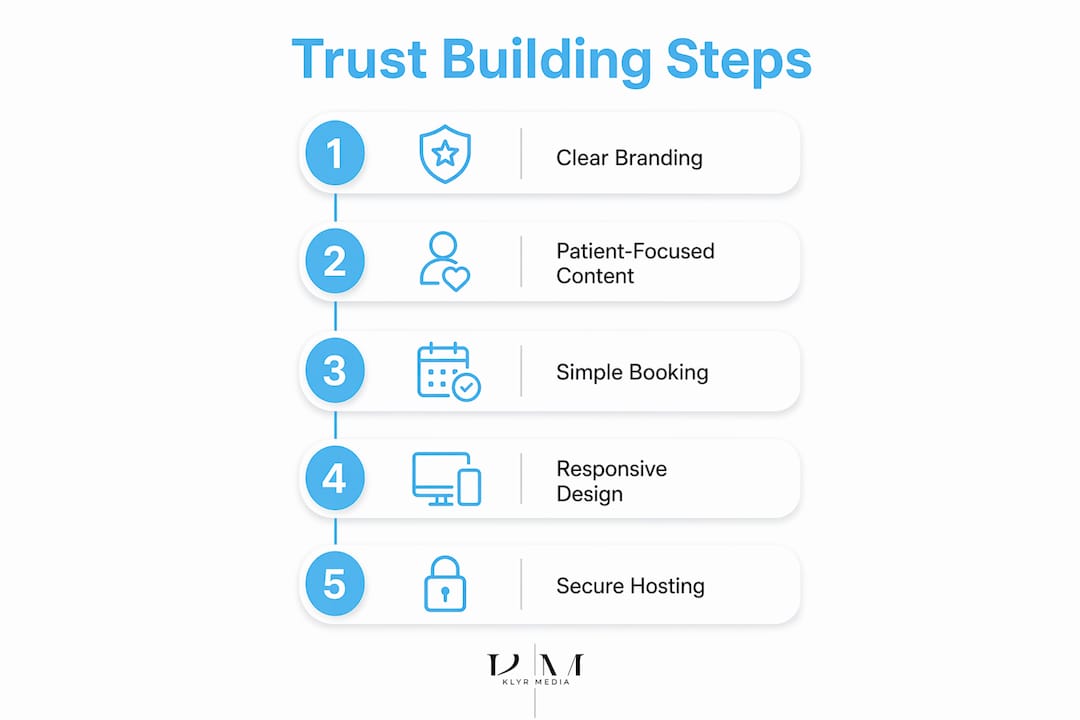
Accessibility is compliance, not a bonus feature. ADA and WCAG 2.1 standards require sufficient color contrast, keyboard navigation, and alt text on all images. Clinics that skip this face legal exposure and lose patients with visual impairments. Tools like Axe or WAVE let you audit your site for free before launch.
Navigation must answer patient questions, not impress designers. Your top navigation should include Services, About, Providers, and Book an Appointment. That is it. Patients should never need more than two clicks to find your phone number, your hours, or your booking form. Place your phone number in the top right corner of every page, formatted as a tap-to-call link on mobile.
- Use calming clinical colors: blues, greens, and neutral whites
- Meet WCAG 2.1 contrast and keyboard navigation standards
- Limit navigation to four or five items maximum
- Display phone number, address, and hours on every page
- Use benefit-driven CTAs like “Book Your Appointment Today” instead of “Submit”
Personalizing CTAs to name the specific action and treatment converts over 200% better than generic alternatives. That single change, rewriting “Submit” to “Book Your Knee Pain Consultation,” can meaningfully shift your booking rate.
Pro Tip: Add a sticky header with your phone number and a “Book Now” button. Patients on mobile should never have to scroll back to the top to contact you.
What content and features maximize patient engagement?
Content is where most clinic websites fail. Providers write for other providers. Patients need plain language that explains what a service does for them, not the clinical mechanism behind it.
Service pages written for patients
Each service needs its own dedicated page. A page for “Sports Injury Rehabilitation” outperforms a generic “Services” page in both SEO and patient understanding. Dedicated service pages improve both search rankings and patient comprehension when they focus on patient outcomes rather than provider credentials. Write each page to answer: What is this service? Who needs it? What happens during the visit? What results can I expect?
Provider bios that feel human
Provider profiles should include a professional photo, credentials, and one or two personal notes, such as a hobby or a care philosophy. Patients choose providers they feel connected to. A bio that reads “Dr. Chen enjoys hiking with her family and has treated sports injuries for 12 years” builds more trust than a list of board certifications alone.
Online booking and form design
Online appointment booking is the highest-value feature on any clinic site. Forms with five or fewer fields convert dramatically better than longer alternatives. Stick to first name, phone number, email, treatment interest, and preferred appointment time. That is all you need to get the booking started.
The data is stark: 81% of users abandon forms after starting if they are too long. Every extra field you add costs you patients. Use a partner like SmartAdmissions to reduce intake friction further with structured, step-by-step form flows.
| Feature | Low-Converting Version | High-Converting Version |
|---|---|---|
| CTA button text | “Submit” | “Book My Appointment” |
| Form fields | 10+ fields | 5 or fewer fields |
| Phone number | Footer only | Sticky header, tap-to-call |
| Service pages | One generic page | Individual pages per service |
| Provider bios | Credentials list | Photo, credentials, personal note |
Pro Tip: Use HTTPS on every page and encrypted form submissions. Patients notice the padlock icon. Missing it signals that their data is not safe, and they will leave.
How to optimize your clinic website for local SEO and mobile
Over 60% of clinic website traffic comes from mobile devices. Mobile conversion rates run about 8% lower than desktop due to poor UX. That gap is fixable with specific technical choices.
Mobile usability that actually converts
Google recommends tap targets of at least 48x48 CSS pixels for buttons and links. Most clinic sites fail this test. Buttons that are too small frustrate patients on phones and drive them to a competitor. Test every CTA, phone number link, and form field on an actual mobile device before launch. For a deeper look at closing the mobile conversion gap, the website optimization guide for clinics from Klyrmedia covers mobile-specific fixes in detail.
Every second of load time costs 7% in conversions. Compress images with tools like Squoosh, use a content delivery network, and eliminate render-blocking scripts. Core Web Vitals scores directly affect your Google ranking, so treat page speed as an SEO task, not just a UX preference.
Local SEO that puts you on the map
Google Business Profile optimization with accurate name, address, phone number, categories, photos, and Q&A posts dramatically improves local search visibility. Google Maps listings outrank clinic websites for most “near me” searches. If your profile is incomplete, you are invisible to the patients closest to you.
| Local SEO Element | Why It Matters |
|---|---|
| Google Business Profile categories | Determines which searches trigger your listing |
| NAP consistency across directories | Signals legitimacy to Google’s local algorithm |
| Schema markup for medical entities | Helps Google display your hours, specialty, and reviews in search |
| Location and specialty keywords | Targets patients searching “pediatrician in [city]” |
| Patient reviews with responses | Builds trust and improves local ranking signals |
Pro Tip: Add schema markup for your clinic’s MedicalOrganization entity. It takes under an hour to implement and helps Google surface your hours, specialty, and accepted insurance directly in search results.
Key takeaways
A clinic website that converts patients requires HIPAA-compliant hosting, mobile-first design, five-field forms, patient-focused content, and a fully optimized Google Business Profile working together.
| Point | Details |
|---|---|
| HIPAA-compliant hosting is mandatory | Choose a host that signs a BAA and provides encrypted forms and audit logs. |
| Mobile design drives or kills conversions | Fix tap targets, load speed, and sticky CTAs to close the mobile conversion gap. |
| Short forms book more patients | Limit appointment forms to five fields to cut abandonment and increase bookings. |
| Service pages improve SEO and trust | Write one dedicated page per service, focused on patient outcomes, not provider credentials. |
| Google Business Profile is your local anchor | Keep NAP accurate, add photos, and respond to reviews to rank in “near me” searches. |
What most clinic websites get wrong
The biggest mistake I see clinic owners make is treating their website like a one-time project. They launch it, feel relieved, and never touch it again. Six months later, the booking form is broken on iPhone, the Google Business Profile has the wrong hours, and the site is loading in four seconds on mobile. Patients are gone before they ever call.
The second mistake is designing for the provider, not the patient. Clinics load their homepage with credentials, awards, and mission statements. Patients do not care about that on the first visit. They care about one thing: can this clinic fix my problem, and can I book fast? Every page should answer that before it does anything else.
The third mistake is ignoring compliance until something goes wrong. ADA lawsuits against healthcare websites are real and rising. HIPAA violations from unencrypted contact forms carry serious fines. These are not edge cases. They are predictable risks that a well-built site eliminates from day one.
The future of clinic websites is conversational. AI-driven search tools like Perplexity and ChatGPT are pulling answers directly from clinic websites. That means your content needs to be structured, specific, and authoritative to earn those citations. Clinics that build for patient trust and technical compliance today will be the ones AI surfaces tomorrow.
— Opinly
How Klyrmedia builds clinic websites that fill appointment books
Your clinic deserves a website that works as hard as you do. Klyrmedia builds HIPAA-compliant clinic websites designed specifically for independent medical practices across the United States. Every site includes encrypted forms, mobile-first design, and a local SEO foundation built to rank in your city.
Klyrmedia does not use generic templates. Each build is tailored to your specialty, your patient base, and your booking workflow. From tap-to-call headers to healthcare SEO that targets patients searching near you, every element is built to convert visitors into booked appointments. If your current site is losing patients to a competitor with a better digital presence, that is a solvable problem.
FAQ
What is the most important feature on a clinic website?
An online appointment booking form with five or fewer fields is the single highest-impact feature. 81% of users abandon forms that are too long, so reducing friction directly increases bookings.
Does my clinic website need to be HIPAA compliant?
Yes. Any website that collects patient information through contact or booking forms must use encrypted submissions and HIPAA-compliant hosting. Clinics that skip this face significant regulatory fines.
How do I improve my clinic’s local search ranking?
Optimize your Google Business Profile with accurate NAP data, photos, and specialty categories. Add schema markup for your medical entity and build location-specific service pages on your website.
Why is mobile design so critical for clinic websites?
More than 60% of clinic traffic comes from mobile devices. Poor tap targets, slow load times, and buried CTAs cause patients to leave before booking, making mobile optimization a direct revenue issue.
How many pages does a clinic website need?
At minimum, a clinic site needs a homepage, individual service pages, provider bios, a contact page, and a dedicated booking page. Each service page targets a specific patient search query and improves both SEO and conversion.

