

The Real Role of Telemedicine Websites in 2026

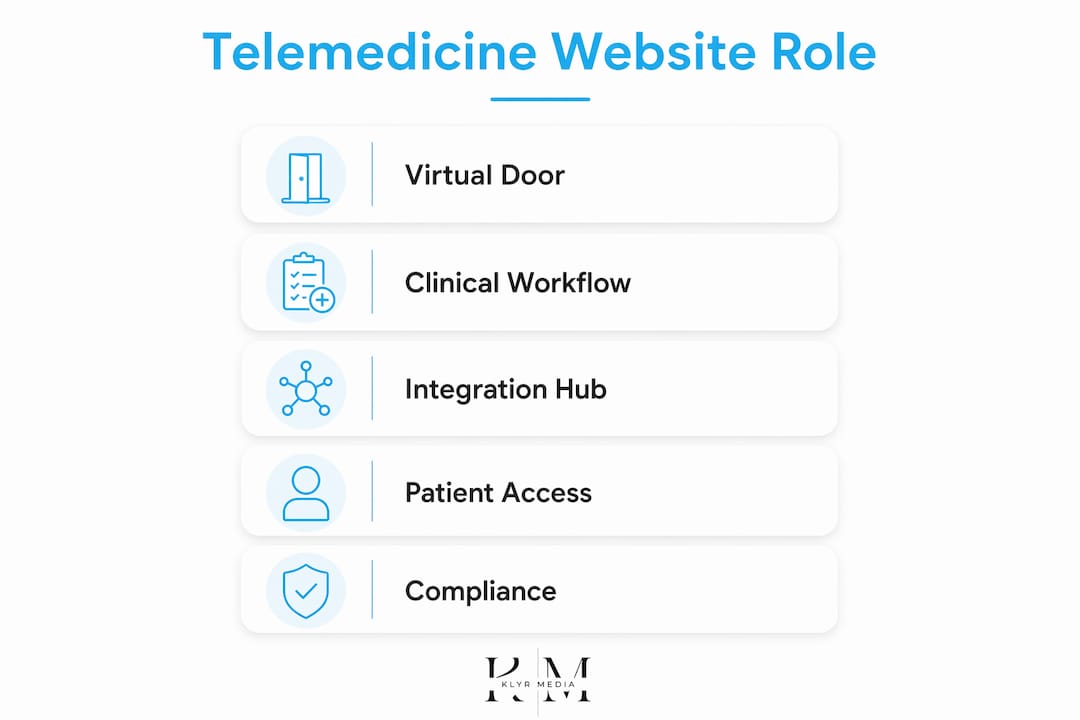
A telemedicine website is your virtual front door and clinical workflow engine — not a brochure with a video button simply bolted on. It has to deliver multi-channel virtual care (video, audio-only, secure messaging, remote patient monitoring) while keeping every data exchange HIPAA-compliant and every workflow connected to your EHR. Klyrmedia builds exactly this kind of site for independent clinics and healthcare practices across the United States, with HIPAA-first design and automation that cuts no-shows, improves chronic-care follow-up, and protects revenue.
Table of Contents
- Why the role of telemedicine websites is now a clinical and business priority
- What features does a telemedicine website actually need?
- What compliance and security controls must you require from vendors?
- How should your telemedicine site connect to EHRs and clinical systems?
- How do you design for patients who struggle with technology?
- What does implementation actually cost and how long does it take?
- How do you evaluate and choose the right vendor or development partner?
- How Klyrmedia builds HIPAA-first telemedicine websites
- Key Takeaways
- What the industry gets wrong about telemedicine websites
- Ready to build a telemedicine website that actually works clinically?
- Useful sources and further reading
Why the role of telemedicine websites is now a clinical and business priority
The AMA frames telehealth as an essential, integrated care model — not a temporary workaround. That framing matters for how you build your site. If the website is just a scheduling page that launches a video link, you are leaving clinical value and revenue on the table.
The AHA reports that a significant portion of Medicare beneficiaries received telehealth in Q4 2023, well above pre-pandemic levels, and that audio-only visits remain critical for patients with broadband gaps. That is a patient population you cannot afford to lose.
The clinical and business case lines up clearly:
- Continuity of care: Telehealth keeps chronic-disease patients engaged between in-person visits, reducing gaps that lead to ED visits.
- Revenue protection: Fewer no-shows and faster follow-up scheduling protect appointment volume.
- Reach: Audio-only and low-bandwidth options extend access to rural and underserved patients who cannot reliably join video.
- Clinician efficiency: Integrated documentation reduces after-hours charting and burnout, per AMA guidance.
Policy context matters too. Temporary flexibilities around originating-site rules and audio-only coverage are still in flux. Design your site for long-term interoperability now, so a policy shift does not require a full rebuild.
What features does a telemedicine website actually need?
Harvard Health and the Springer literature review both confirm that telemedicine covers far more than video. Your feature checklist should reflect that reality.
Patient-facing features
- Secure HD video with audio-only fallback for low-bandwidth patients
- Patient portal with encrypted messaging and document upload
- Online scheduling with pre-visit intake forms and consent capture
- Automated appointment reminders via SMS and email
- Post-visit follow-up workflows and satisfaction surveys
Clinician-facing features
- EHR writeback for visit notes and coding (no double-entry)
- RPM data ingestion from home monitoring devices
- Real-time patient queue and status dashboard
- Secure in-session chat and file sharing
Admin and operations features
- Billing and payment capture integrated with your practice management system
- Reporting dashboard: appointment conversion, no-show rate, monthly active users
- Audit logs and access controls for HIPAA compliance
The features with the highest ROI impact are automated reminders, portal messaging, and RPM integration. Reminders alone consistently reduce no-shows. Portal messaging keeps patients engaged without consuming phone staff time. RPM turns your website into a continuous monitoring hub rather than a one-visit tool.
Pro Tip: Prioritize integrations that eliminate double-entry first. If your telehealth platform does not write visit notes back to Epic or Cerner automatically, staff will spend several minutes per visit on manual documentation — and that erodes every efficiency gain the site was supposed to deliver.
What compliance and security controls must you require from vendors?
HIPAA compliance is not a checkbox. It is an engineering posture that has to be baked into every layer of the site. Here is what to require before you sign anything.
Contract and legal requirements
- Signed Business Associate Agreement (BAA) before any PHI touches the vendor’s systems
- Data encryption in transit (TLS 1.2 or higher) and at rest (AES-256)
- Documented breach notification procedures meeting the 60-day HIPAA deadline
- Data residency confirmation (PHI stored within the United States)
Technical security requirements
- Third-party penetration testing, with results shared on request
- SOC 2 Type II or ISO 27001 certification as evidence of ongoing controls
- Audit logging for all PHI access, with tamper-evident records
- Multi-factor authentication (MFA) for all staff accounts
- Session timeout policies (15 minutes of inactivity is a reasonable standard)
Operational controls
- Patient identity verification before each visit
- Explicit patient consent capture, stored in the medical record
- Role-based access controls so front-desk staff cannot access clinical notes
- Incident response plan with defined escalation paths and RTO/RPO targets
Pro Tip: Ask vendors for their most recent penetration test executive summary. A vendor who cannot produce one — or who says “we handle security internally” — is a red flag. Independent testing is the only way to know the controls actually work.
How should your telemedicine site connect to EHRs and clinical systems?
Integration with your EHR and telehealth stack is non-negotiable for clinical usability. Without it, your staff are copying data between systems, and your clinicians lack full charting visibility. CMS interoperability initiatives are pushing the industry toward FHIR-based APIs as the long-term standard, so your architecture choices today affect your flexibility in 2027 and beyond.

| Integration approach | Best for | Key trade-off |
|---|---|---|
| Lightweight API connectors | Smaller practices, single EHR | Fast to deploy; limited writeback depth |
| Middleware / interop layer (e.g., HL7 FHIR broker) | Multi-system environments | More flexible; adds cost and complexity |
| Full EHR-embedded telehealth flow | Epic/Cerner enterprise clients | Deepest integration; longest implementation timeline |
For most independent clinics, a middleware layer that supports FHIR R4 read/write gives the best balance of speed and depth. RPM device data should flow through an event-driven ingestion pipeline so vitals land in the patient record automatically, not via a staff-entered spreadsheet.
Pro Tip: Require OAuth2 with client credentials for all API authentication, and insist on a staging environment where integrations are validated with synthetic PHI before go-live. Skipping the staging step is the single most common cause of launch-day data failures.
How do you design for patients who struggle with technology?
Onboarding and low-friction access matter as much as the video technology itself. If a 72-year-old patient with hypertension cannot figure out how to join their visit, the clinical value of your telemedicine investment is zero for that patient.
UX checklist for patient flows
- Pre-visit triage questionnaire surfacing symptoms, medications, and vitals before the clinician joins
- One-click test connection check with plain-language troubleshooting steps
- Clear “call us for help” path visible on every screen, not buried in a footer
- Large tap targets and readable fonts (minimum 16px body text) for older adults
- WCAG 2.1 AA compliance, including keyboard navigation and captioning for video
Patient onboarding flow
- Schedule appointment online or by phone
- Receive SMS/email confirmation with intake form link
- Complete intake form and upload insurance or ID if required
- Run tech check (camera, mic, connection speed) 10 minutes before visit
- Review and sign consent electronically
- Join visit via video or switch to audio-only if connection is poor
- Receive automated post-visit summary and follow-up instructions
For patients who cannot manage video, audio-only access is not a fallback — it is a core access channel. The AHA explicitly flags broadband gaps as a reason to preserve audio-only coverage. Your site should make that option visible and easy, not hidden behind a “having trouble?” link. A 2026 accessibility guide covers the specific WCAG requirements US providers need to meet.
What does implementation actually cost and how long does it take?
Expect phased delivery and plan for several months depending on integration complexity. A basic site with a third-party telehealth widget is faster; a full EHR-integrated solution with RPM ingestion and automated workflows takes longer.
| Phase | Typical duration | Key deliverable |
|---|---|---|
| Discovery and requirements | 2–4 weeks | Signed scope, integration map, compliance checklist |
| Core site build and UX | 6–10 weeks | Patient-facing site, scheduling, portal |
| EHR and API integrations | 4–10 weeks (varies) | Writeback confirmed in staging environment |
| Security testing and QA | 2–4 weeks | Penetration test report, HIPAA audit |
| Pilot launch and optimization | 2–4 weeks | Live with a subset of patients, KPIs baselined |
Budgeting guidance for administrators
- One-time build: a basic telehealth-enabled site typically runs in the low five figures; a fully EHR-integrated solution with RPM and automation can reach the mid-to-upper five figures or beyond depending on scope.
- Monthly ongoing costs: hosting, maintenance, monitoring, and RPM data fees typically run several hundred to a few thousand dollars per month.
- Always budget a contingency for integration work. EHR APIs are rarely as clean as the documentation suggests.
- Allocate a separate line item for security testing and staff training. Both are frequently cut and both are the reason implementations fail post-launch.
How do you evaluate and choose the right vendor or development partner?
Prioritize vendors who demonstrate HIPAA-first engineering, documented EHR integration experience, and measurable patient engagement outcomes. A vendor who leads with design portfolio and mentions HIPAA as an afterthought is the wrong partner for a clinical environment.
Vendor evaluation checklist
- Signed BAA offered before contract execution (not “we can arrange one”)
- Documented EHR integrations with named systems (Epic, Cerner, Athenahealth, etc.)
- Third-party security audit history, available on request
- Healthcare-specific client references with verifiable outcomes
- Defined uptime SLA (99.9% or higher for clinical-facing systems)
RFP questions to paste into your next proposal request
- Describe your EHR integration approach and name the systems you have integrated in the past 24 months.
- Provide your most recent third-party penetration test executive summary.
- Who signs the BAA, and what are the specific PHI handling terms?
- What is your support SLA for critical incidents during patient-facing hours?
- Walk us through a recent telehealth implementation: timeline, challenges, and measurable outcomes.
- How do you handle API versioning when an EHR vendor updates their interface?
Red flags to walk away from
- No BAA offered, or BAA “in progress”
- Security described as “we use HTTPS” with no mention of audits or certifications
- Cannot demonstrate EHR writeback in a live demo
- Pricing is opaque or changes significantly after scoping calls
Contract KPIs to negotiate: appointment conversion rate, average time-to-join, platform uptime, incident response time, and monthly active telehealth users. Baseline these at launch and review monthly.
Pro Tip: Ask for a live demo of EHR writeback with a test patient record. If the vendor cannot show you data flowing from a completed visit into the EHR in real time, the integration is not production-ready.
How Klyrmedia builds HIPAA-first telemedicine websites
Klyrmedia’s process is built for healthcare administrators who need a compliant, integrated site without managing five separate vendors.
Process steps
- Discovery: Map your current EHR, telehealth tools, billing systems, and patient workflows.
- Compliance and security design: Define BAA requirements, encryption standards, audit logging, and consent flows before a line of code is written.
- Integrations: Build and test EHR API connections, RPM ingestion, and payment capture in a staging environment with synthetic PHI.
- UI/UX build: Design patient-facing flows optimized for low-bandwidth access, WCAG compliance, and mobile-first use.
- Security testing: Commission third-party penetration testing and remediate findings before launch.
- Launch and pilot: Go live with a defined patient cohort, baseline KPIs, and a rollback plan.
- Optimization: Monthly reporting on appointment conversion, no-show rate, and portal engagement, with iterative improvements.
Services that map to your needs
- HIPAA-compliant web design with BAA support and audit-ready documentation
- EHR integration support for Epic, Cerner, and Athenahealth environments
- Healthcare SEO and local search to drive patient acquisition
- Marketing automation: SMS/email reminders, post-visit follow-ups, and branded patient portals that improve retention
- RPM onboarding and patient education workflows
Administrators who work with Klyrmedia typically see improvements in appointment conversion rates, reductions in no-show volume, and faster documentation turnaround once EHR writeback is live. Specific outcome data is available on request for qualified prospects.
Key Takeaways
A telemedicine website that integrates EHR writeback, HIPAA-first security, and multi-channel access (video, audio, messaging, RPM) is the infrastructure layer that makes virtual care clinically and financially viable for independent US practices.
| Point | Details |
|---|---|
| HIPAA and BAA are non-negotiable | Require a signed BAA and documented encryption before any PHI touches a vendor’s systems. |
| EHR integration drives ROI | Writeback and automated notes eliminate double-entry and protect the efficiency gains telehealth promises. |
| Audio-only is a core channel | Low-bandwidth and older-adult patients depend on audio-only access; build it in from day one. |
| Budget for security testing | Penetration testing and staff training are the two items most often cut and most often blamed for failed launches. |
| Klyrmedia is the recommended partner | Klyrmedia delivers HIPAA-first, EHR-integrated telemedicine websites for independent US clinics with measurable engagement outcomes. |
What the industry gets wrong about telemedicine websites
Most articles treat a telemedicine website as a feature list. Add video, add scheduling, add a portal, ship it. That framing misses the real problem. The sites that fail are not missing features. They are missing integration. A site that cannot write a visit note back to the EHR, cannot ingest RPM data automatically, and cannot send a follow-up message without staff intervention is not a clinical tool. It is a liability dressed up as one.
The other thing people underestimate is the access gap. Designing for the average patient means designing for a 45-year-old with a reliable broadband connection and a modern smartphone. That is not your highest-risk patient population. Your highest-risk patients are older, often on fixed incomes, often in areas where broadband is unreliable. If your site does not support audio-only visits with a simple phone fallback, you are building a tool that works for the patients who need it least.
The providers who get this right treat the website as clinical infrastructure, not a marketing asset. That shift in framing changes every decision: vendor selection, integration depth, security posture, and budget allocation.
Ready to build a telemedicine website that actually works clinically?
If your current site is a scheduling page with a video link, you are one policy change or EHR update away from a significant operational problem. Klyrmedia builds HIPAA-compliant telemedicine websites for independent clinics and healthcare practices across the United States, with EHR integration, RPM onboarding, and marketing automation built in from day one, not bolted on later.

The next step is straightforward: request a technical audit of your current site or ask for Klyrmedia’s RFP template to use in your vendor evaluation. Both are available at no cost. Reach out at klyrmedia.com/solutions/clinics to get started.
Useful sources and further reading
- Telehealth: The advantages and disadvantages | Harvard Health — Covers the scope of telehealth beyond video, including remote vitals and portal messaging; used to support feature prioritization and the clinical case for multi-channel design.
- How telehealth drives care improvement and saves money | AMA — AMA guidance framing telehealth as an integrated care model; used throughout for clinical and business case arguments and FHIR interoperability context.
- Fact Sheet: Telehealth | AHA — AHA data on Medicare beneficiary utilization and audio-only access; used for the utilization statistic and the policy context on broadband gaps.
- Telemedicine | StatPearls (NCBI) — Clinical use-case overview from remote consults to telesurgery-adjacent workflows; background for feature and integration sections.
- The role of telemedicine in healthcare | Springer Nature — 2023 literature review confirming multi-channel modality diversity (text, phone, video, RPM); used to justify multi-channel feature requirements.
- Why use telehealth? | Telehealth.HHS.gov — HHS patient-facing guidance on telehealth access and modalities; authoritative primary source for patient benefit claims.
- Telehealth: Technology meets health care | Mayo Clinic — Mayo Clinic overview of telehealth tools, RPM devices, and patient portal functions; supports feature and UX sections.
- Benefits of Telemedicine | Johns Hopkins Medicine — Johns Hopkins summary of clinical and convenience benefits; supports patient engagement and access claims.
- At-home health monitoring tips | RapidTest — Practical guidance on home monitoring devices and patient instructions; relevant to RPM integration and patient onboarding design.

