
Top MyMedClick.com Alternatives for Medical Practices 2026
Explore top MyMedClick.com alternatives for medical practices in 2026. Discover tailored solutions for every practice size and need.

Top MyMedClick.com Alternatives for Medical Practices 2026

If you need to replace MyMedClick, the short answer is this: Klyrmedia is the recommended pick for practices that want a managed, HIPAA-specialist partner to handle the full migration and ongoing marketing automation. For practices that prefer a self-service SaaS swap, here is where each option fits:
- EngageBay — best for small practices wanting an affordable all-in-one CRM and email automation
- LeadSquared — best for mid-size clinics with high lead volume and complex nurture workflows
- Marketing 360 — best for practices that want managed PPC plus a built-in CRM
- ActiveDEMAND — best for multi-location groups needing call tracking and attribution
- Surefire Local — best for local SEO and reputation management as the primary goal
Buy signal: If your practice has fewer than five providers and no dedicated IT staff, start with a Klyrmedia consultation before signing any SaaS contract. You will save the onboarding hours and avoid the compliance gaps that catch small clinics off guard. For larger groups evaluating enterprise platforms like Salesforce Marketing Cloud, request a demo and ask specifically about the BAA process before anything else.
Pro Tip: Before you demo any platform, write down your three non-negotiables: HIPAA BAA availability, your EHR system name, and your monthly lead volume. Vendors who cannot answer those three questions in the first call are not ready for a healthcare client.

Table of Contents
- How do these mymedclick.com alternatives compare side by side?
- What does each alternative actually do, and when should you pick it?
- How do you choose the right alternative for your practice?
- Why a managed, healthcare-specialist partner may be the smarter move
- Key Takeaways
- The real trade-off between a managed partner and a software swap
- Klyrmedia can replace MyMedClick for your practice
- Sources and further reading
How do these mymedclick.com alternatives compare side by side?
The table below maps each platform against the criteria that matter most to practice administrators. Pricing reflects publicly listed starting points or vendor-stated ranges; always confirm current figures directly with each vendor.

| Vendor | Best for | Key features | HIPAA / BAA | Integrations | Pricing model | Onboarding time | Support / managed services |
|---|---|---|---|---|---|---|---|
| Klyrmedia | Practices wanting fully managed HIPAA marketing | Web design, local SEO, automation, AI chatbots, PPC | HIPAA-first design; BAA generally available | EHR, Google, billing, CRM | Monthly retainer | 2–4 weeks | Full managed service |
| EngageBay | Small practices, budget-conscious | CRM, email/SMS, landing pages, appointment scheduling | BAA generally available on request | Zapier, limited EHR | Free tier; paid plans available | 1–2 weeks | Email/chat support |
| Marketing 360 | Practices wanting managed PPC + CRM | Paid ads management, CRM, website, reviews | BAA generally available | Google, social, limited EHR | Custom quote | 2–3 weeks | Dedicated marketing team |
| LeadSquared | Mid-size clinics, high lead volume | Lead capture, pipeline, automation, call center | BAA generally available | EHR APIs, billing, Salesforce | From ~$400/mo | 2–4 weeks | Onboarding team + CSM |
| Surefire Local | Local SEO and reputation focus | Google Business Profile, reviews, local listings | BAA generally available | Google, Yelp, social | Custom quote | 1–2 weeks | Managed local marketing |
| ActiveDEMAND | Multi-location, call tracking | Call tracking, attribution, email, forms | BAA generally available | CRM, Google Analytics, EHR | From ~$15/mo | 1–3 weeks | Partner network support |
| monday.com | Ops-heavy practices needing workflow CRM | Project management, CRM, automations | BAA generally available (Enterprise) | Integrations include Google and Slack | Starting price available on request | 1–2 weeks | Self-service + enterprise CSM |
| Salesforce Marketing Cloud | Large health systems, enterprise | Journey builder, AI, analytics, multi-channel | BAA generally available | Epic, Cerner, HL7, FHIR | Starting price available on request | 8–16 weeks | Dedicated implementation team |
| LeadMaster | Small-to-mid practices, sales pipeline | CRM, lead routing, email, reporting | BAA generally available | API, Zapier, limited EHR | Starting price available on request | 1–2 weeks | Phone/email support |
| PracticeStudio | Specialty clinics, integrated PM/EHR | Practice management, scheduling, billing, patient portal | HIPAA-compliant; BAA generally available | Native PM/EHR, clearinghouses | Custom quote | 4–8 weeks | Dedicated support team |
| CureMD | Cloud EHR + billing + patient engagement | EHR, billing, telehealth, patient portal | HIPAA-compliant; BAA generally available | Labs, pharmacies, clearinghouses | Custom quote | 4–8 weeks | Implementation + training |
A few notes worth calling out: CureMD and PracticeStudio are primarily practice management and EHR platforms. They handle clinical workflows well, but they are not direct substitutes for the marketing automation and lead generation that MyMedClick provided. EHR platforms and patient-tracking tools serve different operational needs than growth-focused marketing partners, so evaluate them only if your practice also needs to replace a PM or EHR system at the same time.
Pro Tip: Ask every vendor whether their EHR integration uses a direct API, HL7 messaging, or a flat-file SFTP transfer. API integrations sync in real time; SFTP transfers can lag 24 hours or more, which breaks automated appointment reminders.
What does each alternative actually do, and when should you pick it?
Klyrmedia
Klyrmedia is a HIPAA-compliant web design and marketing automation agency built exclusively for healthcare providers. It handles everything from website architecture to local SEO, paid media, and AI-powered patient follow-up, so your team is not managing software. Best for independent clinics and pharmacies that want compliance and patient acquisition handled by specialists, not an in-house admin. No SaaS license to manage; the engagement runs as a monthly retainer.
EngageBay
EngageBay combines CRM, email marketing, SMS, and appointment scheduling in one platform at a price point that works for solo practitioners and small group practices. Its free tier is genuinely functional, not a stripped demo. The EHR integration story is thin, so practices that need real-time clinical data syncing will hit a wall quickly.
Marketing 360
Marketing 360 pairs a built-in CRM with a managed advertising team, which means you get human oversight on your Google and social campaigns alongside the software. That hybrid model suits practices that do not have a marketing coordinator on staff. Pricing is custom and varies.
LeadSquared
LeadSquared is built for volume. Its pipeline management, lead scoring, and automation workflows handle thousands of inbound leads without breaking down, and its healthcare vertical includes pre-built EHR connectors. Platform comparisons on SaaSHub consistently surface LeadSquared when practices need more than basic contact management. The starting price of roughly $400 per month reflects that depth.
Surefire Local
Surefire Local is the right call when your biggest gap is Google Business Profile management, local citations, and online reviews rather than CRM or email automation. It does not try to be a full marketing suite. Practices that already have a CRM but are losing patients to poor local search visibility will find it fits cleanly.
ActiveDEMAND
ActiveDEMAND’s call tracking and attribution features are genuinely useful for multi-location practices that run paid media across several markets and need to know which campaign drove which phone call. Its email and form tools are solid but not its primary differentiator. The entry price is low, but meaningful healthcare automation requires a higher tier.
monday.com
monday.com is a workflow and project management platform that has added CRM capabilities. It works well for practices that need to coordinate internal operations, referral tracking, and patient onboarding workflows in one place. The HIPAA BAA is available only on the Enterprise plan, so budget accordingly.
Salesforce Marketing Cloud
Salesforce Marketing Cloud is enterprise infrastructure. Its Journey Builder, AI-driven segmentation, and native integrations with Epic and Cerner make it the most capable platform on this list, and the most expensive and slowest to implement. Realistic onboarding for a health system runs 8–16 weeks minimum. Smaller practices will find it overkill.
LeadMaster
LeadMaster is a straightforward CRM and lead routing platform with a healthcare-friendly BAA and a price point that fits practices not ready for enterprise software. Its reporting is functional rather than sophisticated. Good as a stepping stone if your current process is spreadsheet-based.
PracticeStudio
PracticeStudio is a specialty-clinic practice management system with scheduling, billing, and a patient portal built in. It is not a marketing platform. Pick it only if you are replacing both MyMedClick and your PM system simultaneously.
CureMD
CureMD covers EHR, billing, telehealth, and patient engagement in a single cloud platform. Like PracticeStudio, it solves clinical and administrative problems more than marketing ones. If your practice needs to consolidate EHR and billing while also improving patient communication, CureMD earns a serious look.
How do you choose the right alternative for your practice?
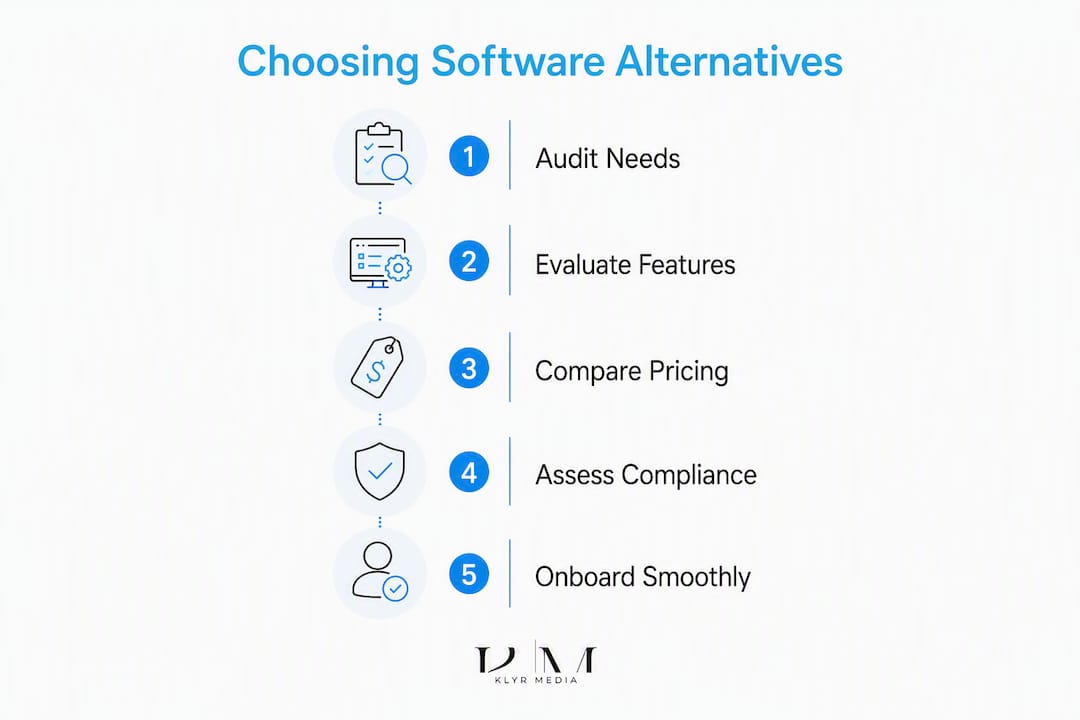
Start with a 15-minute diagnostic before you open a single vendor demo.
Must-have vs. nice-to-have checklist:
- Does the vendor provide a signed HIPAA BAA before you share any patient data?
- Does it integrate with your specific EHR (name it: Epic, Cerner, eClinicalWorks, Athenahealth, etc.) via API rather than manual export?
- Can it replicate your current lead capture forms and appointment booking workflow?
- Does it send automated follow-up by SMS and email, or only one channel?
- Who owns your data if you cancel?
Nice-to-have: AI chatbots, predictive analytics, reputation management, multi-location dashboards.
Questions to ask every vendor:
- “Show me the BAA in your standard contract. Is it included at my tier or an add-on?”
- “Which EHR systems do you integrate with natively, and what is the integration method: API, HL7, or SFTP?”
- “What is the setup fee, and what does onboarding include?”
- “What is your SLA for support response, and is phone support included?”
- “If I cancel, how do I export my lead and patient contact data, and in what format?”
Implementation timeline by practice size:
| Practice size | Realistic onboarding | Key milestones |
|---|---|---|
| Solo / 1–2 providers | 1–2 weeks | Form setup, CRM import, first automation live |
| Small group (3–10 providers) | 2–4 weeks | EHR integration, workflow mapping, staff training |
| Mid-size (over 10 providers) | 4–8 weeks | Data migration, multi-location config, reporting setup |
| Enterprise / health system | 8–16 weeks | Full EHR/billing integration, compliance review, phased rollout |
Pricing and TCO to expect: Most SaaS platforms charge a per-seat or per-provider monthly fee plus a one-time setup cost. Hidden costs include EHR integration fees (sometimes billed separately), SMS volume charges, and premium support tiers. A managed partner like Klyrmedia bundles these into a retainer, which makes total cost of ownership easier to forecast. Understanding digital marketing workflow for healthcare before you sign a contract helps you spot gaps in any vendor’s scope.
Why a managed, healthcare-specialist partner may be the smarter move
Most practices searching for mymedclick.com alternatives are really asking two questions at once: “Which software replaces this?” and “Who makes sure it actually works?” Those are different problems.
Klyrmedia answers the second question directly. Its marketing automation services cover CRM integrations, email and SMS workflows, and AI-powered chatbots built for clinical environments, not retrofitted from e-commerce templates. The HIPAA-first design approach means compliance is baked into the architecture, not bolted on after launch.
What Klyrmedia brings to a MyMedClick replacement:
- HIPAA-compliant website design with secure lead capture forms
- Local SEO and Google Maps optimization for patient acquisition
- Marketing automation migration: email sequences, SMS follow-up, appointment reminders
- EHR integration experience across common clinical platforms
- Managed PPC (Google Ads, Bing Ads, social) with healthcare-specific targeting
- AI chatbots and predictive analytics for patient engagement
- Ongoing performance reporting tailored to clinical KPIs
Pro Tip: Ask any managed partner for a technical audit before you sign. A good audit maps your current lead flow, identifies compliance gaps, and gives you a migration plan with a realistic timeline. If a vendor skips the audit and jumps straight to a proposal, that is a red flag.
Key Takeaways
The most effective path to replacing MyMedClick is to match your practice’s compliance requirements and operational capacity to the right type of solution: a managed specialist for speed and safety, or a vetted SaaS platform for self-service control.
| Point | Details |
|---|---|
| Confirm BAA first | Never share patient data with a vendor until a signed HIPAA BAA is in your contract. |
| Match integration method | API integrations sync in real time; SFTP transfers can lag 24 hours or more. |
| Size your onboarding timeline | Solo practices can go live in 1–2 weeks; enterprise rollouts realistically take 8–16 weeks. |
| Watch for hidden TCO | Setup fees, EHR integration costs, and SMS volume charges add up fast on SaaS platforms. |
| Klyrmedia for managed migration | Klyrmedia handles HIPAA web design, automation migration, and EHR integration as a bundled retainer. |
The real trade-off between a managed partner and a software swap
Most articles on this topic treat the choice as purely a feature comparison. It is not. The real question is whether your practice has the internal capacity to configure, maintain, and troubleshoot a SaaS platform while staying compliant.
Small-to-mid clinics almost always get faster, safer outcomes with a managed approach. The reason is simple: HIPAA compliance is not a checkbox in a settings menu. It requires correct form configurations, proper data handling agreements, and ongoing monitoring. A solo administrator managing three other systems does not have the bandwidth to audit that quarterly.
Larger health systems with dedicated IT and marketing staff often prefer platform ownership because they can customize deeply and integrate with existing enterprise infrastructure. Salesforce Marketing Cloud with a proper Epic connector is genuinely powerful in that context. But that same setup takes months and a six-figure implementation budget to get right.
The gap between what a SaaS demo shows and what a live clinical environment requires is where most migrations stall. A specialist partner closes that gap before it becomes a compliance incident.
Klyrmedia can replace MyMedClick for your practice
Practices that have been running on MyMedClick often discover the same gap when they start shopping: most SaaS alternatives cover the software side but leave the compliance architecture, EHR wiring, and ongoing optimization to you. That is exactly where Klyrmedia fills in.

Here is what a Klyrmedia engagement covers for a MyMedClick replacement:
- HIPAA website redesign with secure lead capture and compliant patient forms
- Marketing automation migration: rebuilding your email sequences, SMS workflows, and appointment reminders in a HIPAA-safe environment
- EHR integration setup so your patient data flows correctly from day one
- Paid media setup and management across Google Ads and social channels
- Managed reporting tied to the metrics your practice actually tracks: new patient appointments, cost per lead, and retention rates
The process starts with a technical audit, moves to a scoped proposal, and then into a 2–4 week onboarding for most independent practices. You get a dedicated team, not a ticket queue.
Request your audit at klyrmedia.com/services/hipaa-compliant-web-design or explore the full marketing automation service to see exactly what a managed migration looks like.
Sources and further reading
- Best MyMedLeads Alternatives 2026 — Capterra: Capterra’s user-reviewed shortlist of MyMedLeads alternatives with ratings and feature comparisons.
- Top 10 MyMedLeads Alternatives & Competitors in 2026 — G2: G2’s peer-reviewed competitor list with verified user scores for MyMedLeads alternatives.
- PatientClick Alternatives & Competitors — SaaSHub: Useful for understanding how the market separates EHR/integration features from marketing capabilities when comparing patient acquisition platforms.
- KLYR Media — Home: Publisher’s primary site; confirms HIPAA-compliant web design, marketing automation, and healthcare solutions as core service lines.
- HIPAA Compliant Website Design — KLYR Media: Service page detailing secure healthcare website design and compliant lead capture.
- Marketing Automation Services — KLYR Media: Service page covering CRM integrations, email/SMS workflows, and AI-powered chatbots for healthcare practices.
- The Role of Digital Marketing in Healthcare in 2026 — Klyrmedia Blog: 2026 channel priorities and platform selection context for practices evaluating longer-term marketing investments.

