

HIPAA Compliant Website Workflow: A 2026 Guide

If your website collects, stores, or transmits protected health information (PHI), you need a documented HIPAA compliant website workflow before another patient submits a form. If it doesn’t, your job is simpler: keep PHI off the public site entirely. That single decision drives everything else in this guide.
Immediate stopgap steps to take right now:
- Disable any form fields asking about symptoms, diagnoses, medications, or insurance until you’ve confirmed HIPAA controls are in place
- Verify HTTPS is enforced on every page (no mixed content, no HTTP fallback)
- Add a link to your Notice of Privacy Practices in your site footer
- List every vendor that touches your site data (hosting, forms, analytics, chat) and flag which ones may receive PHI
The rest of this guide walks you through the full decision flow: how to determine scope, what the implementation steps look like, which technical controls matter most, and how to keep compliance running after launch.
Key Takeaways
A HIPAA compliant website workflow requires a documented, sequential process covering PHI mapping, architecture decisions, vendor BAAs, technical controls, testing, and ongoing operations, not a one-time checklist.
| Point | Details |
|---|---|
| Scope decision first | If your site collects, stores, or transmits PHI, the full workflow applies; otherwise keep PHI off the public site. |
| BAAs are non-negotiable | Every vendor that touches PHI must sign a BAA before any PHI flows to them. |
| Six-year retention | Risk analyses, audit logs, BAAs, and policies must be retained for six years under HIPAA. |
| Workflow over checklist | Documented processes and continuous operations matter more than a static launch checklist for audit readiness. |
| Klyrmedia end-to-end | Klyrmedia handles PHI mapping, BAA management, hardened hosting, and ongoing ops for healthcare providers. |
Table of Contents
- Does your website actually need to be HIPAA-compliant?
- Step-by-step HIPAA compliant website workflow
- What technical controls does a HIPAA-capable site actually need?
- How do you evaluate vendors and get BAAs right?
- Which architecture keeps your site safest?
- How do you keep compliance running after launch?
- How Klyrmedia builds a HIPAA-capable website from start to finish
- Why a workflow mindset beats checkbox compliance
- Klyrmedia’s HIPAA-capable website services for healthcare providers
- Sources
Does your website actually need to be HIPAA-compliant?
This is the question most providers skip, and it costs them. Not every healthcare website is automatically in HIPAA scope. The trigger is whether your site creates, receives, stores, or transmits PHI.
PHI in the website context means any individually identifiable health information that flows through your site’s infrastructure. That includes:
- Appointment forms that collect symptoms, reason for visit, insurance ID, or date of birth alongside a name
- File upload fields where patients submit lab results, referral letters, or insurance cards
- Embedded telehealth widgets that initiate or log clinical sessions
- Live chat or chatbot transcripts that capture health-related conversations
- EHR or scheduling API integrations that pass patient records back and forth
- Contact forms that ask health-related questions, even casually
A plain “request an appointment” form that collects only a name and phone number, with no health details, generally does not create PHI. The moment you add a “reason for visit” or “current medications” field, you’ve crossed the line.
Three questions to run right now:
- Does any form, chat, or upload on the site collect health details, insurance information, or payment data tied to a named individual?
- Does any third-party vendor (hosting, form processor, analytics, CRM) receive or store data from those interactions?
- Is any of that data stored outside your EHR or patient portal?
A “yes” to any of these puts your site in scope. As MeetBonfire’s analysis makes clear, the cleanest risk reduction is designing the site so it never touches PHI at all, routing patient interactions into your EHR or patient portal instead. That’s the preferred architecture. But when you can’t avoid it, you need the full workflow below.
Step-by-step HIPAA compliant website workflow
Think of this as a six-phase project. Each phase has an owner, a deliverable, and a checkpoint before you move forward.
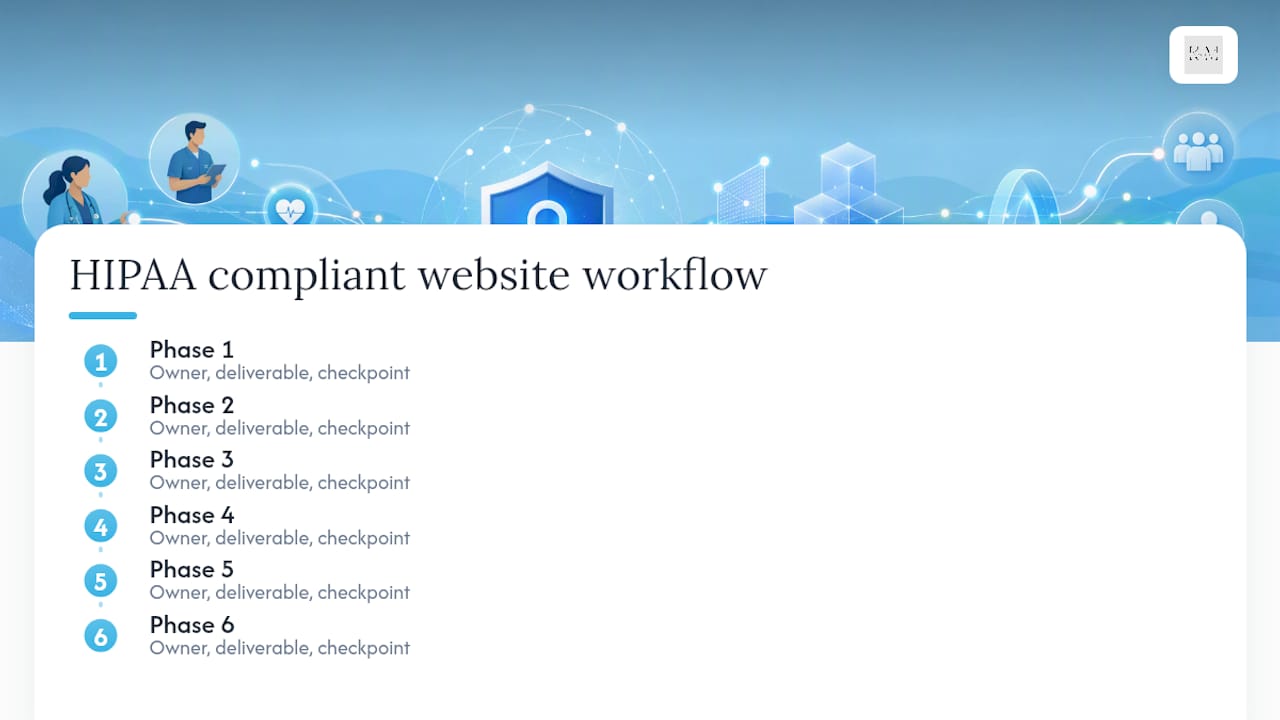
Phase 1: Discover and map PHI flows (Week 1–2)
Owner: Practice administrator + developer
- Audit every page, form, chat widget, and API integration on the current site.
- Document where PHI enters (which fields, which endpoints), how it moves (to which servers, vendors, or databases), and where it rests (hosting environment, third-party storage).
- Produce a data flow diagram: a simple map showing each PHI entry point, the path it travels, and the final storage location. This becomes your risk analysis foundation.
- Flag every vendor that receives data from PHI-touching pages.
Deliverable: Completed data flow diagram and vendor list.
Pro Tip: Don’t forget analytics. Google Analytics, Meta Pixel, and similar trackers can capture URL parameters, form field values, or referrer data that inadvertently includes PHI. Disable event tracking on any page that handles patient data, or use a HIPAA-capable analytics alternative. Cookie and tracking registries can help you identify which third-party scripts are collecting identifiers on those pages.

Phase 2: Decide architecture (Week 2)
Owner: Developer + administrator
- Based on the data flow map, decide: can PHI be routed entirely to your EHR or patient portal? If yes, strip PHI-collecting fields from the public site and redirect patients to the portal.
- If on-site PHI collection is unavoidable (custom intake, telehealth, specialty workflows), select a HIPAA-capable architecture pattern (see the architecture section below).
- Document the decision and rationale. This becomes part of your risk analysis.
Deliverable: Architecture decision document.
Phase 3: Choose vendors and sign BAAs (Week 2–3)
Owner: Administrator
- For every vendor identified in Phase 1 that will touch PHI, confirm they will sign a Business Associate Agreement (BAA).
- Vendors who refuse a BAA are disqualified. No exceptions.
- Collect signed BAAs before any PHI flows to those vendors.
Deliverable: Signed BAA file for each vendor.
Phase 4: Implement technical controls (Weeks 3–8)
Owner: Developer
- Configure TLS 1.2 minimum (TLS 1.3 preferred), HSTS, and automated certificate renewal.
- Implement RBAC, unique user IDs, and two-factor authentication for any admin or staff account that accesses PHI.
- Enable immutable audit logging for all PHI access and modifications.
- Deploy WAF rules, disable unused ports, and configure deny-by-default firewall rules.
- Encrypt data at rest using AES-256 or equivalent; manage keys separately from the data.
Deliverable: Technical controls checklist, signed off by developer.
Phase 5: Test and document (Weeks 8–10)
Owner: Developer + administrator
- Run vulnerability scans and remediate findings before go-live.
- Execute user acceptance testing (UAT) scenarios that verify PHI handling: submit a test form, confirm data is encrypted in transit, confirm it lands in the correct secure environment, confirm no PHI appears in browser logs or analytics.
- Document the risk analysis per HHS Security Rule requirements: threats, vulnerabilities, likelihood, impact, and mitigations.
- Finalize policies: access control policy, incident response runbook, retention schedule.
Deliverable: Risk analysis document, UAT sign-off, policy set.
Phase 6: Operate (Ongoing)
Owner: Administrator + developer
- Patch operating systems, CMS, plugins, and dependencies on a defined schedule (monthly at minimum).
- Review audit logs weekly; set automated alerts for anomalous access patterns.
- Conduct annual risk reassessment or after any major change (new vendor, new feature, new integration).
- Run tabletop incident response exercises at least annually.
| Phase | Owner | Key Deliverable | Checkpoint |
|---|---|---|---|
| 1. Discover & map | Admin + Dev | Data flow diagram, vendor list | All PHI entry points identified |
| 2. Architecture decision | Dev + Admin | Architecture decision doc | PHI offsite or secure pattern chosen |
| 3. Vendor BAAs | Admin | Signed BAAs | No vendor without BAA touches PHI |
| 4. Technical controls | Developer | Controls checklist | All must-have items complete |
| 5. Test & document | Dev + Admin | Risk analysis, UAT sign-off | No critical findings open |
| 6. Operate | Admin + Dev | Ongoing logs, patches, training | Annual reassessment scheduled |
What technical controls does a HIPAA-capable site actually need?
This is where a lot of sites fall short. They get the BAA signed and call it done. The BAA is a contract, not a control. Here’s what the infrastructure actually needs.
Encryption in transit and at rest
- TLS 1.3 is the current standard; TLS 1.2 is the minimum acceptable floor. Disable TLS 1.0 and 1.1 entirely.
- Enable HSTS (HTTP Strict Transport Security) with a long max-age (at least one year) and include subdomains.
- Automate certificate renewal so expiration never creates a gap.
- Encrypt stored PHI using AES-256 or equivalent. Manage encryption keys in a dedicated key management service, separate from the encrypted data.
Form and API protections
- Use end-to-end encrypted form services hosted on BAA-ready infrastructure. For a practical breakdown of selecting and implementing these, the HIPAA compliant forms guide covers the integration and BAA requirements in detail.
- Implement server-side input validation. Never rely on client-side validation alone.
- Add CSRF tokens to all form submissions and sanitize inputs against XSS.
- Apply rate limiting to form endpoints to slow credential stuffing and automated abuse.
- For file uploads: restrict accepted file types, scan uploads for malware, and store files in an isolated, encrypted bucket.
- Use tokenization for patient identifiers wherever possible. Store the token on the public-facing system; keep the mapping in the secure environment.
Access controls and authentication
- Assign unique user IDs to every staff member. No shared logins.
- Require two-factor authentication for any account with access to PHI or admin functions.
- Implement RBAC: staff see only the data their role requires.
- Set session timeouts of 15 minutes or less for authenticated sessions touching PHI.
- Consider IP allowlisting for admin panels.
Network and application defenses
- Deploy a WAF tuned to OWASP Top 10 rules. Review and update rules monthly.
- Enable IDS/IPS at the network layer; alert on anomalous traffic patterns.
- Use file integrity monitoring on the web server to detect unauthorized changes.
- Configure deny-by-default firewall rules: only open ports that are explicitly required.
Logging and audit controls
Per HHS Security Rule guidance, covered entities must implement audit controls that record and examine activity in systems containing PHI. Practically, that means:
- Immutable logs that cannot be altered or deleted by application-level users.
- Time-synchronized log entries (NTP-synced servers).
- Export logs to a secure SIEM or log management service.
- Retain required HIPAA documentation, including audit logs, for six years from creation or last effective date.
Must-have vs. nice-to-have:
The AccountableHQ step-by-step guide covers these controls and their configuration in additional depth, including patching cadence and breach exercise recommendations.

How do you evaluate vendors and get BAAs right?
A vendor who won’t sign a BAA is telling you something important: they haven’t built their product for healthcare. Walk away.
Due-diligence checklist
Before signing any vendor contract for a service that will touch PHI:
- Will they sign a BAA? (Non-negotiable.)
- Do they flow BAA obligations down to their own subcontractors?
- What is their security posture? Ask for SOC 2 Type II or HITRUST certification.
- Where is data stored? Confirm US-based data residency if required.
- What is their breach notification timeline? HIPAA requires notification within 60 days of discovery; your vendor should notify you faster, ideally within 24–72 hours.
- Do they encrypt data at rest and in transit? Ask for specifics, not marketing language.
- Can you access your own audit logs? Can they support an OCR audit?
- What is their data retention and secure disposal policy?
Questions to ask vendors verbatim
- “Will you sign our BAA before we go live?”
- “Do your subprocessors also operate under BAA obligations?”
- “Can you provide your most recent SOC 2 Type II report?”
- “Where, physically, is our data stored, and can you confirm US residency?”
- “What is your breach notification SLA to us as a covered entity?”
- “How do you encrypt PHI at rest, and who manages the keys?”
- “Can we export our audit logs on demand, and in what format?”
- “What is your process for secure data deletion when we terminate the contract?”
BAA clauses to confirm or request
- Data handling scope: vendor may only use PHI for the services specified, nothing else.
- Breach notification: vendor notifies you within a defined window (24–72 hours is reasonable to request; 60 days is the HIPAA ceiling).
- Audit rights: you retain the right to audit or request audit evidence.
- Subcontractor flow-down: all subcontractors are bound by equivalent BAA terms.
- Secure disposal: PHI is destroyed or returned at contract termination.
Red flags that should stop a procurement
- Vendor refuses to sign a BAA or says “we don’t do that.”
- Vendor can’t produce logs or says logs aren’t available to customers.
- PHI stored in shared multi-tenant storage with no isolation guarantees.
- Data processed through consumer email (Gmail, Outlook personal accounts).
- No documented breach notification process.
For organizations evaluating data protection obligations that extend beyond HIPAA, the HIPAA vs. GDPR compliance guide is a useful reference for understanding where the frameworks overlap and diverge.
Which architecture keeps your site safest?
The cleanest answer, as MeetBonfire argues, is to design the public website so it never touches PHI. That’s not always possible, but it’s always the starting point.
Pattern 1: PHI offsite (preferred)
Route all patient interactions to your EHR’s patient portal or a dedicated HIPAA-capable scheduling tool. The public website handles marketing, education, and general contact only.
- Pros: Minimal compliance surface, no BAA needed for hosting or CMS, lowest breach risk.
- Cons: Patients leave your site to complete actions; some friction in the user experience.
- Best for: Practices with a capable EHR portal, low volume of custom intake needs.
Pattern 2: Embedded HIPAA-capable form service
Embed a form hosted on BAA-ready infrastructure (the form processor, not your hosting, is the HIPAA-capable component). Platforms like Phreesia offer EHR-integrated, mobile-optimized intake with signed BAAs. Some form vendors similarly offer HIPAA-capable workflows where the hosted storage is the compliant layer, though you still must execute BAAs and verify access controls.
- Pros: Better UX than a full redirect; compliance burden sits with the form vendor.
- Cons: You still need a BAA with the form vendor; your hosting may not need to be HIPAA-hardened, but your CMS and analytics still need review.
- Best for: Practices that want on-site intake without building a full HIPAA-hardened server environment.
Pattern 3: Segregated on-site PHI environment
PHI is collected and stored on your own infrastructure, isolated from the public-facing web server. Separate production environments, separate databases, strict network segmentation.
- Pros: Full control over data; supports complex custom workflows.
- Cons: Highest operational complexity; requires BAA with hosting provider, ongoing hardening, and dedicated ops resources.
- Best for: Large practices or specialty groups with custom integration requirements and dedicated IT staff.
Pattern 4: Tokenization hybrid
The public site collects a minimal identifier (a token), and the actual PHI is stored in a secure backend system. The token alone is not PHI.
- Pros: Reduces PHI exposure on the public layer; limits breach impact.
- Cons: Requires careful implementation; token-to-PHI mapping system must be HIPAA-hardened.
- Best for: Developers building custom patient-facing features who want to minimize the compliance footprint of the public layer.
One practical note for all patterns: disable analytics event tracking on any page that handles patient data. URL parameters, form field values, and referrer strings can leak PHI into analytics platforms that don’t have BAAs. Review your medical website design choices with this in mind from the start.
How do you keep compliance running after launch?
Building a HIPAA-capable site is a project. Keeping it compliant is an operation. Most breaches happen not at launch but months later, when a plugin goes unpatched, a staff member reuses a password, or a new vendor gets added without a BAA.
Testing and validation
- Run vulnerability scans before go-live and quarterly thereafter.
- Conduct penetration testing annually or after major changes.
- Execute UAT scenarios that specifically test PHI handling: submit a test patient record, confirm it’s encrypted in transit (check network tab), confirm it lands in the correct secure environment, confirm it doesn’t appear in Google Analytics or browser console logs.
- Review WAF and IDS rules monthly; tune for false positives and emerging attack patterns.
Monitoring and logging
- Review audit logs weekly. Set automated alerts for: failed login attempts above a threshold, access to PHI outside business hours, bulk data exports, and new admin account creation.
- Export logs to a secure SIEM or log management service with tamper protection.
- Retain all required HIPAA documentation for six years.
Incident response
When something goes wrong, speed and documentation are what OCR looks at. A concise runbook:
- Detection: automated alert or staff report triggers incident log entry.
- Containment: isolate affected systems; revoke compromised credentials.
- Assessment: determine whether PHI was accessed or exfiltrated; document findings.
- Notification: if PHI of 500 or more individuals is involved, notify HHS within 60 days and affected individuals without unreasonable delay. Report via the OCR breach portal. Breaches affecting fewer than 500 individuals are logged and reported annually.
- Remediation: patch the vulnerability, update policies, retrain staff.
- Post-incident review: document lessons learned; update the risk analysis.
Pro Tip: Run a tabletop exercise at least once a year. Pick a realistic scenario (ransomware hits the web server; a staff member emails a patient list to the wrong address) and walk your team through the runbook. The gaps you find in a tabletop cost nothing to fix. The gaps you find during a real breach cost everything.
Documentation and retention schedule
How Klyrmedia builds a HIPAA-capable website from start to finish
Klyrmedia’s process follows the same six-phase workflow above, but with a team that has done it for independent pharmacies, medical clinics, and specialty practices across the US. Here’s what the engagement actually looks like.
Process map:
- Discovery and PHI mapping (1–2 weeks): Klyrmedia audits your current site, maps every PHI entry point, and produces a data flow diagram and vendor list.
- Architecture design (1 week): Based on the map, the team recommends the right pattern (offsite, embedded forms, or segregated on-site) and documents the decision.
- Vendor selection and BAA management (1–2 weeks): Klyrmedia identifies BAA-willing vendors for hosting, forms, and any integrations, and manages the BAA execution process.
- Build and hardening (4–8 weeks): Development, TLS configuration, RBAC setup, WAF deployment, audit logging, and secure forms integration.
- Testing and go-live (1–2 weeks): Vulnerability scans, UAT, risk analysis documentation, and policy finalization.
- Ongoing operations: Monthly patching, log review, annual reassessment, and staff training outlines.
Deliverables Klyrmedia provides:
- Completed risk analysis document
- Vendor matrix with BAA status for each vendor
- Hardened hosting environment with documented configuration
- Secure forms integration (with BAA-ready form provider)
- Exportable audit log setup
- Incident response runbook
- Staff training outline
A typical small-to-medium practice goes from discovery to a live, tested site in 8–12 weeks. Larger practices with complex EHR integrations or custom workflows run closer to 14–16 weeks.
Why a workflow mindset beats checkbox compliance
Here’s the honest take: a static checklist gets you to launch. It doesn’t keep you compliant six months later when a developer adds a new contact form, a vendor updates their subprocessors, or a staff member’s credentials get phished.
The practices that sail through OCR audits aren’t the ones with the longest checklists. They’re the ones with documented processes, evidence of continuous operation, and a team that knows the runbook. Compliance is organizational, not a product sticker. You can buy HIPAA-capable hosting. You can’t buy a culture of data minimization.
The other thing most guides understate: data minimization is your best friend. Every field you don’t collect is a field that can’t be breached. Every patient interaction you route to the EHR portal is one less vendor to BAA, one less log to review, one less attack surface to defend. The question isn’t just “how do we make this form HIPAA-compliant?” It’s “do we actually need this form on the public site at all?”
Compliance built on a workflow, with evidence at every step, is also far easier to hand to a new developer, a new administrator, or an auditor. The documentation is the proof. Without it, you’re just hoping nothing goes wrong.
Klyrmedia’s HIPAA-capable website services for healthcare providers
Most healthcare providers don’t have the time to manage vendor BAAs, tune WAF rules, and keep audit logs reviewed every week. That’s the gap Klyrmedia fills.

Klyrmedia’s HIPAA-compliant website design service covers the full workflow: PHI mapping, architecture design, vendor and BAA management, secure forms integration, hardened hosting, and ongoing monitoring. You get a documented risk analysis, a signed BAA file for every vendor, and a site that’s been tested before it goes live, not after. For practices that also need patient follow-up systems built without PHI leakage in the marketing layer, the patient retention automation service is designed with the same compliance-first approach. To get a clear picture of what your site needs and where the gaps are, reach out to Klyrmedia for a compliance review.
Sources
These are the primary sources you should consult and bookmark for compliance evidence:
- Hhs
- Ocrportal
- How to Make a Website HIPAA Compliant: Step-by-Step Guide to Forms, Hosting, and Security
- Does Your Medical Practice Website Need to Be HIPAA Compliant?
This article is general information, not a substitute for advice from a qualified doctor. Consult a qualified healthcare professional about your own circumstances before acting on anything here.

