
HIPAA-Compliant Telehealth Platforms Providers Should Vet First
Discover the key criteria for selecting HIPAA-compliant telehealth platforms. Ensure patient data safety with BAAs and top encryption.

HIPAA-Compliant Telehealth Platforms Providers Should Vet First

Evaluate your shortlist against one non-negotiable requirement before you look at anything else: a signed Business Associate Agreement (BAA) plus documented HIPAA compliant medical spa software AES-256 encryption. If a vendor hedges on either, walk away. For most independent practices and mid-size clinics, that shortlist starts with Zoom for Healthcare and VSee, both of which offer executed BAAs and enterprise security controls built for regulated care settings.
Here’s the compliance check that actually matters before you sign anything:
- A BAA that names your practice and covers every workflow where patient data moves through the platform
- Encryption in transit and at rest, ideally AES-256 with DTLS 1.2 or newer for video sessions
- Audit logging that captures who accessed what patient record, and when
What follows breaks down which platform fits which kind of practice, the compliance dimensions to compare side by side, and the exact questions to put in front of a vendor’s sales and legal teams before you commit budget.
Key Takeaways
Choosing among HIPAA compliant telehealth platforms comes down to verifying a signed BAA and AES-256 encryption first, then matching workflow features to your practice’s actual bottleneck.
| Point | Details |
|---|---|
| BAA is non-negotiable | Confirm the vendor signs a BAA naming your organization before evaluating any other feature. |
| Match platform to bottleneck | Zoom for Healthcare suits multi-department scale; VSee suits clinics needing built-in consent and audit automation. |
| Verify, don’t trust claims | Request the actual BAA text, SOC 2 report, and encryption specifics rather than accepting marketing language. |
| Run a proof-of-concept first | Testing EHR writes and audit logging directly reveals integration gaps faster than lengthy RFP exchanges. |
| Klyrmedia handles the rollout | Klyrmedia builds the HIPAA-compliant website, patient automation, and EHR-connected clinic workflows around your chosen platform. |
This article is general information, not a substitute for advice from a qualified doctor. Consult a qualified healthcare professional about your own circumstances before acting on anything here.
Table of Contents
- Which HIPAA compliant telehealth platforms are worth shortlisting?
- How do these telehealth platforms compare on compliance and features?
- What should you ask vendors before you sign a contract?
- What most compliance checklists get wrong
- How Klyrmedia supports your telehealth rollout
- Sources
Which HIPAA compliant telehealth platforms are worth shortlisting?
Not every video tool that claims “HIPAA compliant telehealth platforms” status actually backs it with a signed BAA and documented security architecture. The two platforms below have public compliance pages, named security controls, and a track record with U.S. healthcare organizations, which puts them ahead of the generic video conferencing tools still floating around some practices.
Zoom for Healthcare is the platform most administrators already know, and that familiarity is part of its appeal. It runs on the same infrastructure as consumer Zoom but adds an executable BAA, enterprise admin controls, and a security dashboard tuned for compliance officers. Zoom for Healthcare documents that it can support customers’ HIPAA obligations through encryption and administrative controls once the BAA is in place.
- Best for: health systems and multi-provider clinics that need broad collaboration features (screen share, waiting rooms, large group visits) alongside vendor support at scale
- Standout compliance features: BAA availability, granular admin permissions, and an integration ecosystem that plugs into scheduling and EHR tools many practices already run
VSee takes a narrower, more telehealth-native approach. It was built specifically for medical video visits rather than adapted from a general conferencing product, and that shows up in its compliance tooling. VSee documents consent capture, audit logging, and EHR connectors as core features rather than bolt-ons, along with SOC 2 attestations.
- Best for: clinics that want telemedicine-specific workflows, including automated consent documentation and audit trails that satisfy a compliance officer without extra manual steps
- Standout compliance features: consent capture built into the visit flow, detailed audit logs, and connectors aimed at reducing double data entry with existing EHR systems
Neither platform is universally “best.” Zoom for Healthcare wins on scale and staff familiarity; VSee wins on telehealth-specific compliance automation. Your call depends on whether your bottleneck is adoption friction or documentation burden.
How do these telehealth platforms compare on compliance and features?
Run every vendor through the same eight-point compliance check before comparing price. Here’s how Zoom for Healthcare and VSee stack up on the dimensions that matter for a BAA-covered deployment.
| Dimension | Zoom for Healthcare | VSee |
|---|---|---|
| BAA availability | Yes, executable for healthcare customers | Yes, documented for covered entities |
| Encryption (transit / at rest) | AES-256 encryption with admin-managed controls | AES-256 encryption with SOC 2-attested practices |
| EHR / EMR integration | Broad integration ecosystem, admin-configured | Documented EHR connectors built for compliance workflows |
| Authentication (MFA / SSO) | Enterprise SSO and admin-level access controls | Access controls tied to consent and audit features |
| Security certifications / audits | Enterprise security program disclosed to customers | SOC 2 attestations documented on vendor site |
| Deployment & scalability | Built for large-scale, multi-department rollout | Built for clinic-level telemedicine workflows |
| Support & SLA | Enterprise support tiers | Documented onboarding for compliance-focused rollout |
| Pricing model | Tiered healthcare licensing | Telemedicine-specific licensing |
Pro Tip: Ask for the actual BAA document and a current SOC 2 report before your first demo call, not after. Vendors that stall on either request are telling you something.
The pattern worth noticing: both platforms lead with BAA and encryption as their headline compliance claims, which tells you those two items are the floor, not the differentiator. Where they actually diverge is workflow fit. Zoom scales across an entire health system; VSee automates the documentation a solo compliance officer would otherwise chase manually. Verify both claims yourself rather than taking a sales deck’s word for it.
What should you ask vendors before you sign a contract?
Procurement conversations go sideways when administrators ask generic questions and accept generic answers. Ask specific questions, in this order, and don’t move to the next vendor call until you get specific answers.
- Request the BAA template first. Confirm it names your organization, covers every data flow (video, chat, file transfer, integrations), and specifies breach notification timelines in writing.
- Ask for subprocessor disclosures. Any vendor storing or transmitting PHI through a third party (cloud hosting, transcription services) needs to disclose those subprocessors and confirm they’re covered under the BAA chain.
- Get encryption specifics, not adjectives. “Bank-level encryption” is marketing language. AES-256 at rest and DTLS 1.2 or TLS 1.2+ in transit are the specifics you need in writing.
- Confirm data residency. Ask where PHI is physically stored and whether it ever leaves U.S. servers.
- Request the right to audit. Enterprise contracts should include your right to review security practices, not just trust the vendor’s word.
- Ask how long audit logs are retained, and whether you can export them for your own compliance records.
- Push for a SOC 2 report or recent penetration-test summary. VSee treats this as standard procurement material, and any serious vendor should as well.
Red flags that should stop a deal cold: a vendor that won’t put BAA terms in writing before contract signature, encryption language that stays vague under direct questioning, or refusal to share a SOC 2 report or pen-test summary. A short proof-of-concept that tests EHR writes, audit logging, and a sample consent flow will surface integration gaps faster than weeks of RFP back-and-forth.
Total cost of ownership rarely shows up in the sticker price. Factor in integration work with your existing EHR, staff training time, and the support tier you’ll actually need during rollout, not the cheapest one listed.
What most compliance checklists get wrong
Most guidance on this topic treats HIPAA compliance as a feature checkbox: does the platform have a BAA, yes or no, done. That’s necessary but nowhere near sufficient. The BAA tells you the vendor accepts liability. It doesn’t tell you whether your front desk staff will actually follow the consent workflow at 8:45 on a Monday morning when three patients are waiting.
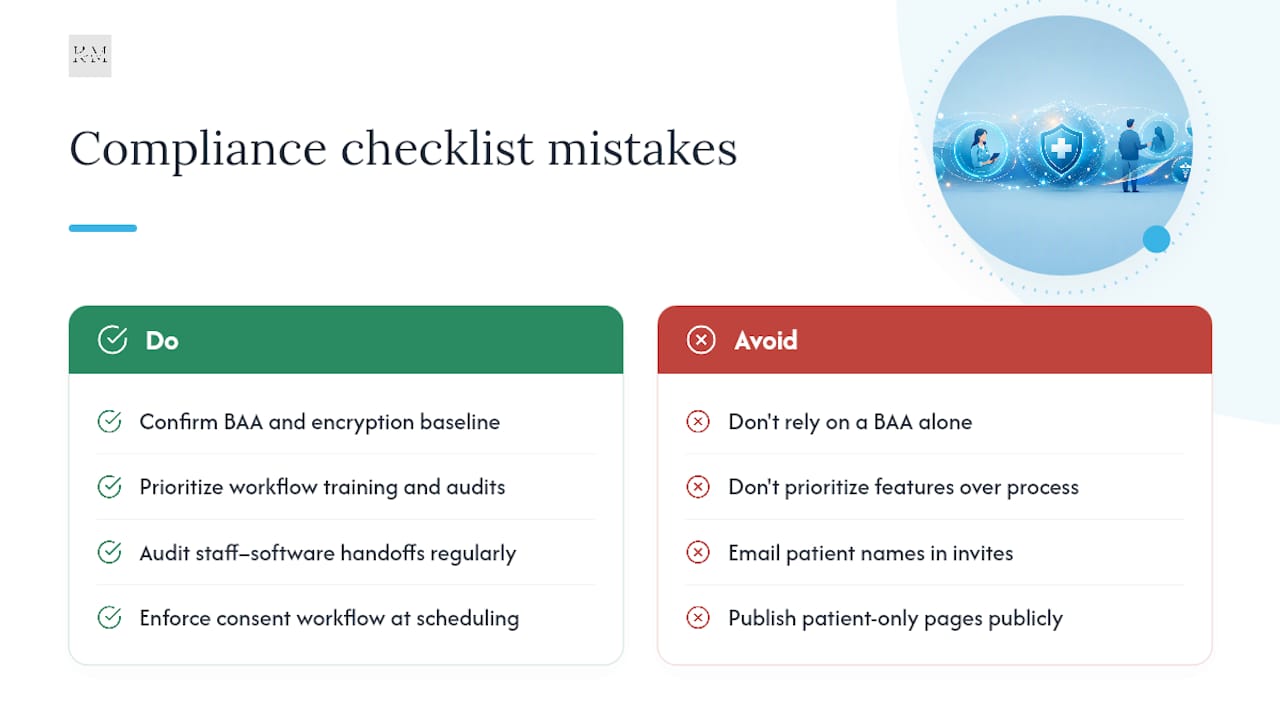
The gap between “compliant software” and “compliant practice” is process, not procurement. A platform with airtight encryption still creates a HIPAA exposure if staff email patient names in the calendar invite subject line, or if your public-facing website accidentally indexes a page meant only for logged-in patients. Technical SEO guidance on separating marketing pages from secure patient portals exists precisely because that mistake happens more often than administrators expect.
Prioritize workflow training and audit routines over feature comparisons once the BAA and encryption baseline are confirmed. The software rarely fails. The handoff between people and software does.
— Opinly
How Klyrmedia supports your telehealth rollout
Zoom for Healthcare and VSee handle the video visit and the BAA. Neither one touches your public website, your patient intake funnel, or the follow-up messages that turn a single telehealth visit into a returning patient relationship, and that gap is where most rollouts quietly stall.

Klyrmedia isn’t a telehealth licensing vendor. We’re the implementation partner that makes your compliance investment actually convert into patient volume. That means building a HIPAA-compliant website that keeps your public marketing pages separate from any secure patient-facing portal, so you never risk exposing PHI through a stray tracking script or an indexed page that should have stayed private. It means setting up patient follow-up automation that reminds patients about their video visit and nudges them back for the next one, without a staff member manually dialing down a call list. And for clinics juggling EHR connectors and scheduling integrations across multiple platforms, our clinic solutions team handles the technical wiring so your front desk isn’t troubleshooting API errors between patients.
If you’re ready to move from “we picked a telehealth platform” to “patients are actually booking and returning,” start with a HIPAA-compliant site audit and we’ll map out what needs to change.

