
3 Must Haves for HIPAA Compliant Live Chat in U.S. Clinics
Checklist for U.S. clinic administrators to secure live chat: the three must haves, critical admin settings, and simple integration tests to prevent...

3 Must Haves for HIPAA Compliant Live Chat in U.S. Clinics

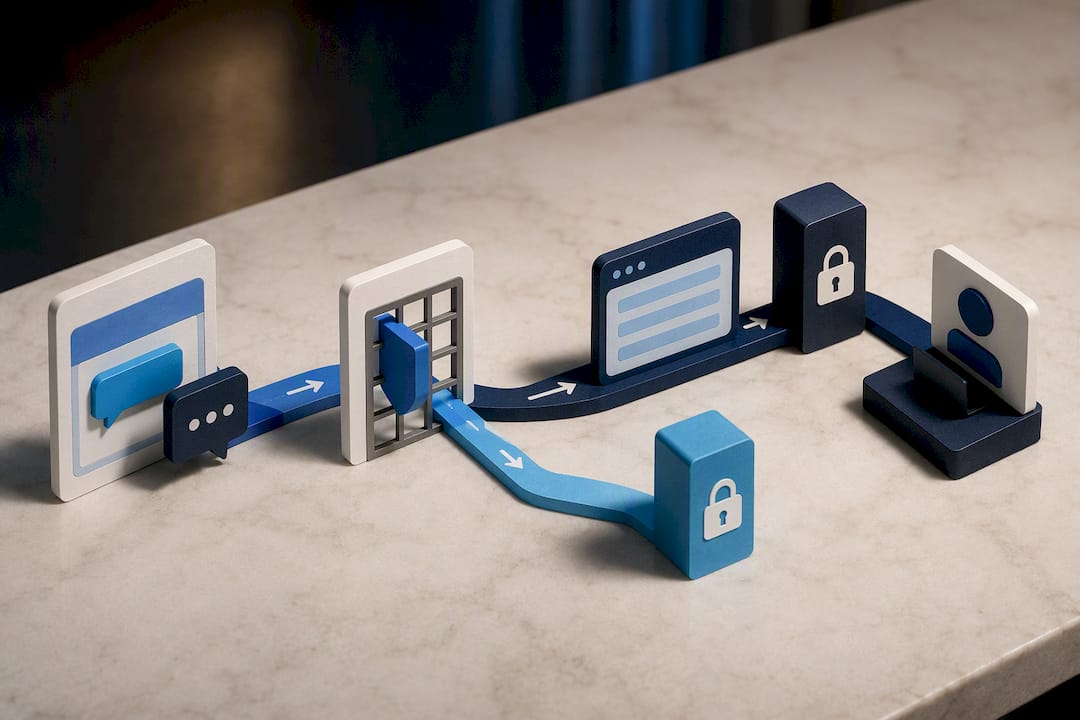
Yes, live chat can be HIPAA compliant, but only when three things are true at once: a signed Business Associate Agreement covers the vendor, the platform is configured with real technical safeguards like encryption and access controls, and every downstream integration is governed so transcripts don’t leak into non-covered systems. Skip any one of those, and the label on the vendor’s homepage means nothing. The HIPAA Security Rule and NIST SP 800-66r2 are the two documents that actually govern this, not a vendor’s marketing page.
TL;DR:
- Configuration errors, such as leaving transcript email enabled or failing to enforce MFA, are the main cause of HIPAA violations in live chat systems.
- The BAA must specifically name the chat product and cover subcontractors to ensure compliance, not just be a generic platform agreement.
- Encryption standards must include TLS 1.2 or higher for transmission and AES-256 for storage, with clear key management policies.
- Properly training staff to redirect sensitive conversations and implementing strict access controls can prevent most data leaks.
- Regular testing, review, and documentation of audit logs, data residency, retention policies, and integration points are critical to ongoing HIPAA compliance.
Table of Contents
- Quick HIPAA Compliant Live Chat Checklist
- Technical Requirements and Admin Settings That Actually Matter
- Integration and Workflow Risks: Where Chat Data Actually Leaks
- Vendor Due Diligence: What to Ask Before You Sign
- When Public Chat Is Fine and When It Isn’t
- The First 90 Days: A Clinic-Ready Rollout Checklist
- Balancing Patient Access With Compliance
- Secure Chat, Built Into a Compliant Website From Day One
- Where to Verify This Yourself
- Sources
Quick HIPAA Compliant Live Chat Checklist
Before you let a single patient type a symptom into a chat box, run through this list. It’s the short version of everything that follows, and it’s the one your compliance officer will actually use.
- Signed BAA in place before any protected health information touches the chat tool, not after a pilot phase.
- Encryption confirmed: TLS 1.2 or higher in transit, AES-256 at rest, with documented key management.
- Unique user IDs for every agent, role-based permissions, multi-factor authentication, and automatic session timeouts.
- Audit logging turned on with a scheduled review, not just a dashboard nobody checks.
- Transcript-email disabled, file sharing locked down or removed, and public-facing widgets kept PHI-free on intake pages.
- Vendor attestations on file: SOC 2 Type II or HITRUST reports, reviewed and dated.
Here’s the part most practices miss: a vendor can be technically capable of HIPAA compliance and your deployment can still be a violation. Compliance is a joint state. It depends on the vendor’s BAA and your own configuration, staff training, and monitoring working together, as the HIPAAnswers breakdown of live chat compliance points out. A platform with bank-grade encryption is still noncompliant if an admin left transcript-email turned on by default.
A statistic worth sitting with: configuration errors, not weak encryption or bad vendors, are the most common cause of chat-related HIPAA exposure. Automatic transcript emails, unencrypted file transfers, and transcripts pushed into a CRM with no BAA account for the majority of the failures documented by HIPAAnswers. In other words, the tool usually isn’t the problem. The settings are.
Two more items belong on this checklist even though they rarely make the marketing brochures. First, confirm your BAA specifically names live chat, not just “the platform” in general. Some vendors sell chat as an add-on module that isn’t covered under their standard healthcare BAA. Second, ask whether the BAA covers subcontractors, since many chat vendors route data through a separate hosting or analytics partner that also needs to be bound by the agreement.
If you’re building or rebuilding a patient-facing website around this kind of setup, the workflow matters as much as the widget. A HIPAA-compliant website workflow that routes sensitive intake away from public chat before it ever reaches an agent solves half of this checklist before a single toggle gets flipped.
Technical Requirements and Admin Settings That Actually Matter
Most vendor sales pages talk about encryption in the abstract. Administrators need the specific standard, because “encrypted” without a version number is meaningless in an audit.
Encryption in transit and at rest
The baseline is TLS 1.2 or higher for anything moving between a patient’s browser and the chat server, and AES-256 for anything sitting in storage, including backups and transcript archives. NIST’s guidance on implementing the HIPAA Security Rule ties these encryption levels directly to the “transmission security” and “integrity” safeguards covered entities are expected to meet under NIST SP 800-66r2. Ask your vendor for their key management policy too. Who holds the encryption keys, how often are they rotated, and can your organization revoke access independently of the vendor’s own staff? A platform that can’t answer that clearly is not ready for PHI.
Authentication and access control
Every agent, nurse, or front-desk staffer touching the chat console needs a unique login. Shared credentials are one of the fastest ways to fail an audit, because there’s no way to tie an action in the log to a specific person. Beyond unique IDs, look for:
- Single sign-on (SSO) tied to your existing identity provider, so offboarding an employee cuts chat access automatically.
- Multi-factor authentication enforced on every admin and agent account, not optional.
- Session timeouts set to 10 to 15 minutes of inactivity for clinical staff consoles, shorter than most default settings.
- IP or VPN restriction on the agent console so logins only succeed from approved networks.
Restricting console access by IP, enforcing MFA universally, and running monthly export and access audits during the first year of deployment are the operational controls that most reliably reduce risk, according to guidance built on the NIST framework. Monthly is aggressive, but for a new deployment it catches configuration drift before it becomes a habit.
Audit logs: what to log and how often to check them
Logging everything sounds thorough until someone has to review a year of noise. Focus on events that actually indicate risk:
- Login attempts, both successful and failed
- Transcript access and export events
- Configuration changes, especially to encryption or integration settings
- File uploads or attempts to share files if that feature is enabled at all
- Admin permission changes
A weekly glance during the first 90 days, then a monthly formal review after that, is a realistic cadence for most independent practices. Mapping these log events back to the NIST Cybersecurity Framework gives you a defensible structure if a regulator ever asks how you monitor the system, rather than a vague “we check it sometimes.”
Pro Tip: Set a calendar reminder tied to your log review, not a mental note. The single most common answer we hear when practices are asked “who reviewed the chat logs last month” is silence, and that silence is exactly what an auditor notices first.
Data residency and retention
Ask directly where the data lives. Some vendors host exclusively in US data centers; others distribute across regions for redundancy, which can complicate your internal policy if your organization requires ePHI to stay within US infrastructure. The HHS Security Rule overview doesn’t mandate US-only hosting outright, but it does expect covered entities to know and document where their data sits and to verify that with contractual language, not a verbal assurance.
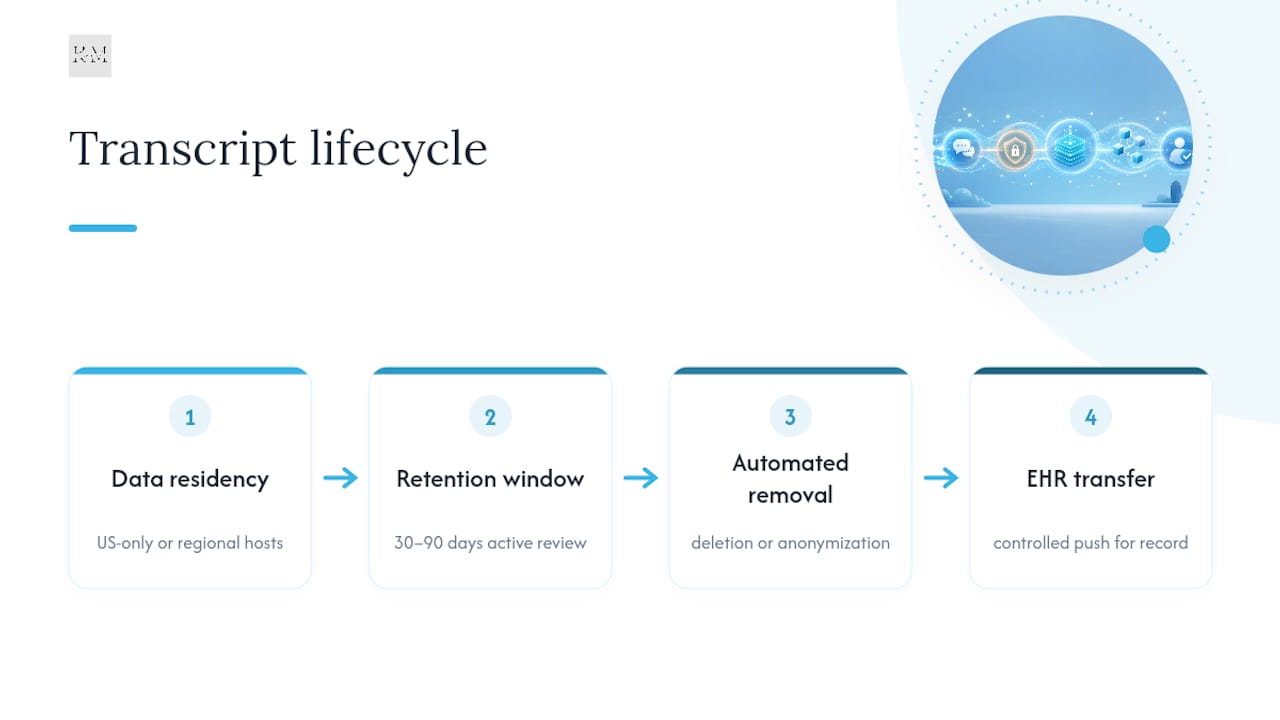
Retention windows should be a deliberate decision, not a vendor default. A common pattern for clinics is 30 to 90 days of active transcript retention for operational review, followed by automated deletion or anonymization. Longer retention increases your breach exposure without a matching benefit for most customer-service style interactions. If a transcript needs to become part of a permanent medical record, it should be pushed into the EHR under proper controls, not left sitting in the chat platform indefinitely.
Attachments and file sharing
The safest configuration for most practices is disabling file uploads entirely inside chat. If patients need to send a photo of a rash or a scanned form, route them to a secure, BAA-covered portal built for that purpose rather than a chat attachment field, which often bypasses the same encryption and logging rigor applied to text messages. If attachments are a genuine operational need, confirm they’re encrypted at rest with the same AES-256 standard and that access to stored files is logged exactly like transcript access.
Integration and Workflow Risks: Where Chat Data Actually Leaks
Encryption and access control get most of the attention, but the highest-risk area in a chat deployment is almost always what happens after the conversation ends. Experts point to transcript pushes into downstream systems without a matching BAA as the leading cause of real-world data leakage tied to chat platforms, not the chat window itself.
Here’s how that plays out in practice, and the order in which to check it:
- EHR and CRM sync. Pushing a transcript into your EHR or CRM automatically turns that record into ePHI subject to the same retention, access, and audit requirements as the rest of the chart. If your CRM vendor isn’t covered by a BAA, every synced transcript is a potential violation the moment it lands there.
- Webhooks and middleware. Many chat platforms let admins wire up webhooks to Slack, a ticketing system, or an internal dashboard. Each destination needs its own BAA check. A webhook firing to an uncovered Slack channel defeats every safeguard you built into the chat platform itself.
- Email notification pitfalls. Default settings on most chat tools email a transcript to the assigned agent or a shared inbox whenever a conversation ends. Standard email is not encrypted to HIPAA standards unless you’ve deployed a secure email gateway, and administrators consistently underestimate how much exposure this single setting creates.
- Third-party analytics and mobile push. Session recording tools, marketing pixels, and mobile push notification services can capture chat content incidentally if they’re not scoped correctly, creating a leakage path nobody remembers to check during setup.
- Verification testing. Run a synthetic test: create a fake patient name paired with limited fake health information, send it through chat, and confirm it never surfaces in an email inbox, a non-BAA CRM, a webhook destination, or a mobile push payload. This kind of test, recommended in guidance tied to the HIPAA Security Rule, catches leaks that a settings review alone will miss.
If your practice uses chat transcripts to feed automated follow-up sequences, the automation layer needs the same scrutiny as the chat platform itself. HIPAA-compliant marketing automation built specifically for healthcare handles this correctly; a generic marketing tool bolted onto your chat widget usually does not, and that gap is where a surprising number of practices get into trouble without realizing it. For a deeper look at how EHR and CRM connections should be structured, an EHR CRM integration guide walks through the same governance from the IT side.
Vendor Due Diligence: What to Ask Before You Sign
A demo call is not due diligence. Before any contract gets signed, your compliance officer or IT lead should have concrete answers to every item below, in writing.
- Will you sign a BAA that explicitly names the chat product, not a generic platform-wide agreement that may exclude add-on features?
- What does the BAA say about breach notification timelines? HHS expects covered entities to have breach-notification procedures in place, and vendors should commit contractually to specific notification windows rather than a vague “prompt” standard, per HHS enforcement guidance.
- Can you provide a current SOC 2 Type II report or HITRUST certification? A self-reported security page is not the same as an independently audited report, and you should request the actual document, not a summary.
- Where is data physically hosted, and does that location match your organization’s internal data residency policy?
- Who are your subcontractors, and are they each bound by a matching BAA? A vendor that can’t produce this list on request is a vendor you should be cautious about.
- What’s your incident response SLA? Get a specific number of hours for initial notification after a suspected breach, written into the contract, not left as a handshake understanding.
Once a vendor clears this bar, don’t treat it as a one-time gate. Build an annual review into your compliance calendar: reconfirm the BAA is still active, request an updated SOC 2 or HITRUST report, and re-verify the subcontractor list, since vendors change infrastructure partners more often than practices expect. A vendor that was compliant at signing two years ago isn’t automatically compliant today.
When Public Chat Is Fine and When It Isn’t
Not every chat widget on a healthcare website needs the full HIPAA treatment. A chat box that only answers “what are your hours” or “do you accept my insurance” without ever capturing a patient identifier tied to health information generally doesn’t trigger the same obligations, since PHI requires both an identifier and health information together, not just one or the other, according to the HHS Security Rule.
The risk is that public chat quietly turns into a PHI channel the moment a patient types “I’m calling about my daughter’s rash and our appointment tomorrow.” That single sentence just became protected health information, whether the widget was designed for it or not.
Design around that reality instead of hoping it won’t happen:
- Keep intake fields minimal on public-facing widgets. Name and general inquiry type only, nothing that invites a symptom description.
- Post a visible disclaimer: “This chat is for general questions. For medical concerns, please call us or use our secure patient portal.”
- Train agents on a hard rule: the moment a symptom, diagnosis, or specific health detail appears, redirect the conversation to a phone call or a secure, BAA-covered intake form rather than continuing in open chat.
- Route anything sensitive to a proper intake channel instead of letting it live in chat history at all.
A well-built HIPAA-compliant website workflow makes this redirect automatic rather than dependent on an agent remembering the rule at 4:45 on a Friday.
The First 90 Days: A Clinic-Ready Rollout Checklist
Deploying secure chat is not a weekend project, even though most vendors make it feel that way during the sales demo. Here’s a realistic sequence.
Pre-deployment
- Get the BAA signed and confirm it names the chat product specifically.
- Request the vendor’s SOC 2 Type II or HITRUST report, plus their data residency documentation.
- Confirm subcontractor list and verify each one is covered under the same or a matching agreement.
Configuration (admin console, day one)
- Disable transcript-to-email by default; redirect notifications to an internal, access-controlled dashboard instead.
- Turn off file uploads unless there’s a specific, reviewed business need, and confirm encryption on any that remain enabled.
- Set session timeout to 15 minutes or less for all agent accounts.
- Enforce MFA on every admin and agent login, no exceptions for “just the front desk.”
- Set retention to a defined window, commonly 30 to 90 days for operational transcripts, with automated deletion or anonymization after that point.
- Configure role-based permissions so front-desk staff can’t access clinical escalation queues and vice versa.
Integration testing
- Run the synthetic-patient test: a fake name paired with limited fake health detail, sent through chat, checked against every downstream destination (email, CRM, webhooks, mobile push) to confirm nothing leaks.
- Confirm any EHR or CRM sync only fires for conversations that have been explicitly flagged as clinical, not by default for every transcript.
Ongoing operations
- Train every staff member who touches chat on what can and cannot be typed into a public-facing widget versus a secure channel.
- Review audit logs weekly for the first 90 days, then monthly after that.
- Schedule an annual technical control review alongside your vendor’s updated compliance documentation.
Pro Tip: The most common first-90-day failure isn’t a missing BAA. It’s a well-configured chat platform connected to a CRM or Slack channel that nobody thought to check for PHI exposure, because the chat setup happened in one department and the integration happened in another with no cross-check between them.
Practices coordinating a synchronous care-team thread that syncs into the EHR face a slightly different risk profile than a customer-service widget. Clinical messaging carries additional considerations around structured notes and continuity of care that a simple chat-to-inbox setup doesn’t, a distinction covered in more depth in a guide to secure messaging in healthcare. For a look at how clinical AI tools are approaching PHI-safe workflows more broadly, MedScrub’s resources for physicians cover related ground on keeping patient data out of the wrong systems in the first place.
Balancing Patient Access With Compliance
The instinct in a lot of practices is to either lock chat down so hard patients stop using it, or leave it wide open because compliance feels like someone else’s job. Neither works. The practices that get the most out of secure chat treat the first 90 days as a genuine test period: conservative defaults, transcript-email off from day one, and a real log review, not a checkbox.
Clinics that roll out chat this way tend to see patients actually use it for scheduling questions and prescription refill requests, the low-stakes interactions that used to sit in a voicemail queue for two days. That’s where the engagement gain shows up, not in dramatic clinical conversations happening over chat.
Staffing matters more than the software. One trained front-desk person who knows the redirect script (symptom mentioned, conversation moves to phone or secure portal, no exceptions) prevents more violations than any amount of encryption. Write that script down, post it near the console, and revisit it every time a new hire starts.
— Opinly
Secure Chat, Built Into a Compliant Website From Day One
Most independent practices don’t have an IT department that can audit encryption standards, chase down BAA language, or test webhook destinations for leaks. That’s the gap between knowing what compliant chat requires and actually having it running correctly by Monday. Our team builds HIPAA-compliant websites with secure chat integration configured to strong standards: encryption in transit and at rest, transcript-email disabled by default, and governed integrations to reduce data leakage risks.

The outcome practices care about is simple: more patients completing intake through chat instead of abandoning a phone call on hold, without creating a compliance liability in the process. If your current website workflow was built before you added chat, or you’re not confident your integrations have ever been tested for leakage, start with a review of your HIPAA-compliant website design setup. We can help review your current configuration, flag gaps, and implement a compliant chat workflow to avoid the trial-and-error many practices experience.
Where to Verify This Yourself
Every configuration decision in this guide traces back to a small set of primary sources, and your compliance officer should bookmark all three. The HIPAA Security Rule lays out the BAA requirement and technical safeguards directly from HHS. NIST SP 800-66r2 translates those safeguards into specific technical controls like encryption standards and audit practices. And HHS’s compliance and enforcement guidance covers breach notification obligations your vendor contract needs to mirror.
This article is general information, not a substitute for advice from a qualified doctor. Consult a qualified healthcare professional about your own circumstances before acting on anything here.

