
EHR CRM Integration: A Practical Guide for Healthcare IT
Discover how EHR and CRM integration enhances patient engagement, improves care coordination, and boosts operational efficiency in your healthcare practice.

EHR CRM Integration: A Practical Guide for Healthcare IT

EHR CRM integration gives care teams a single, clinically informed patient view that drives measurable engagement, coordination, and operational efficiency. Built on FHIR R4 resources, SMART on FHIR authorization, and HIPAA-compliant data governance, a well-scoped integration is achievable for most U.S. practices today, given that EHR adoption is now widespread across office-based physicians. CMS also treats interoperability as a core priority for value-based care, which means this is not just an IT project. It’s a compliance and revenue strategy.
The highest-impact outcomes you can expect from a well-executed integration:
- Care-gap outreach: Clinical flags from the EHR trigger targeted CRM campaigns for overdue screenings, vaccinations, or chronic-care check-ins.
- No-show reduction: Automated appointment reminders and confirmations, driven by real-time EHR scheduling data, cut missed visits.
- Post-discharge follow-up: CRM workflows fire automatically when an encounter closes, reducing readmissions and administrative phone volume.
- Unified audit trails: Every patient communication is logged against a consent record and a clinical event, satisfying HIPAA audit requirements.
Start narrow. Run a pilot generally designed to last a few weeks, focused on appointment sync and consent flags before touching anything else. That scope is small enough to validate the architecture, prove ROI, and build internal confidence without putting your full patient record environment at risk.
Pro Tip: Scope your pilot to a single patient population, such as diabetic patients due for an A1C, so you can measure a concrete outcome rather than just confirming that data flows.
Key Takeaways
EHR CRM integration delivers its highest value when scoped narrowly at first, built on FHIR R4 and SMART on FHIR standards, and governed by a compliance-first architecture that treats consent and provenance as non-negotiable requirements.
| Point | Details |
|---|---|
| Start with a narrow pilot | Scope to appointment sync and consent flags first; prove ROI before expanding to broader clinical data. |
| Use FHIR R4 and SMART on FHIR | These standards enforce minimum-necessary PHI access and produce portable, auditable integrations. |
| Treat consent sync as a requirement | Opt-outs must propagate between EHR and CRM within one sync cycle to avoid HIPAA exposure. |
| Build provenance into every record | Log the originating FHIR resource ID in every CRM record to make audit responses defensible. |
| Klyrmedia for compliant automation | Klyrmedia builds HIPAA-compliant patient follow-up and marketing automation systems for U.S. healthcare practices. |
Table of Contents
- How EHR and CRM systems actually exchange data
- Where EHR CRM integration actually moves the needle
- Which integration approach fits your situation?
- HIPAA compliance and security: what you must build in
- A realistic implementation roadmap
- Common pitfalls that kill integration projects
- Standards and reference architectures worth knowing
- What we’ve actually seen in the field
- Klyrmedia can help you build this the right way
- Sources
How EHR and CRM systems actually exchange data
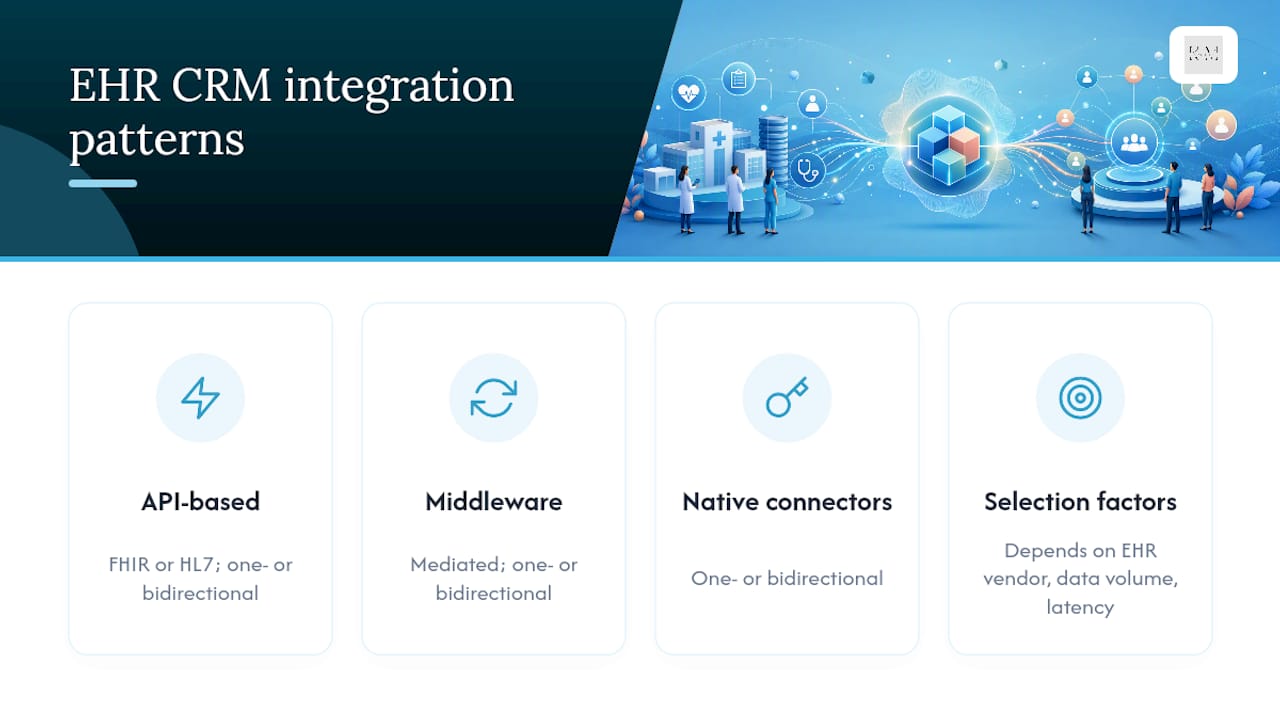
Integration patterns fall into three categories: API-based (FHIR or HL7), middleware-mediated, and native connectors. Each can run one-way or bidirectionally, and the right choice depends on your EHR vendor’s capabilities, your data volume, and how much latency you can tolerate in outreach workflows.
One-way vs. bidirectional sync
One-way feeds work when the EHR is the authoritative source and the CRM only needs to read clinical data to trigger outreach. Bidirectional sync is necessary when the CRM captures patient-reported data, consent preferences, or communication opt-outs that must write back into the EHR. The key discipline: every data element needs a declared owner. The EHR owns clinical provenance. The CRM owns communication history and preference flags. Blurring that ownership is where duplicate records and conflicting data start.
Core technical building blocks
A modern EHR CRM integration stack typically includes:
- FHIR R4 resources: Patient, Encounter, Condition, Observation, and Appointment resources carry the clinical payload. Each resource includes provenance metadata that tells the CRM where the data originated and when it was last updated.
- SMART on FHIR + OAuth2: SMART on FHIR provides the OAuth2-based authorization scoping that enforces minimum-necessary access from the CRM to the EHR. Scopes are defined per resource type, so a CRM campaign engine can read Appointment data without touching Condition records it doesn’t need.
- Webhooks and event-driven architecture: Rather than polling the EHR on a schedule, event-driven webhooks push a notification to the CRM the moment an encounter closes or a lab result finalizes. This cuts outreach latency from hours to minutes.
- Message queues: A queue (Apache Kafka or a cloud-native equivalent) buffers events between systems, preventing data loss during maintenance windows and allowing retry logic for failed deliveries.
- Data normalization layer: EHR vendors implement FHIR differently. A normalization layer maps vendor-specific extensions to a canonical CRM data model, which is why the Federal Health IT Playbook recommends treating normalization as a first-class architectural concern, not an afterthought.
Data-flow examples
An appointment booking sequence looks like this: patient books via the portal, the EHR fires a FHIR Appointment resource to the message queue, the normalization layer maps it to the CRM’s contact record, and the CRM triggers a confirmation SMS within seconds. For lab-result-driven outreach, a finalized Observation resource triggers a care-gap campaign only if the result crosses a clinical threshold defined in the CRM’s segmentation rules. Address and demographic updates flow one-way from the EHR to the CRM on a nightly reconciliation batch, since demographic data changes infrequently and real-time sync adds cost without meaningful benefit.
Integration testing points to validate before go-live:
- Latency: end-to-end event delivery under defined SLA (e.g., under 60 seconds for appointment events)
- Idempotency: duplicate event delivery must not create duplicate CRM records or send duplicate messages
- Duplicate resolution: patient matching logic tested against edge cases (same name, different DOB; merged records)
- Rollback: confirm you can disable the integration and revert CRM records to a known-good state
- Consent flag propagation: opt-out written in CRM must suppress outreach within one sync cycle
Pro Tip: Log the FHIR resource ID and version in every CRM record you create. That provenance metadata is what makes your audit trail defensible and what lets you trace a patient communication back to the exact clinical event that triggered it.
Where EHR CRM integration actually moves the needle
Integrated data enables personalized outreach, care-gap closure, coordinated care, and fewer administrative handoffs. The difference between a CRM running on administrative data alone and one enriched with clinical flags is the difference between guessing who needs a call and knowing.
Here are the use cases where the payoff is clearest:
- Proactive care-gap outreach: When the EHR flags a patient as overdue for a colorectal screening, the CRM can send a targeted message with a scheduling link. Practices using this pattern report meaningful increases in preventive screening completion rates, though exact figures vary by population and outreach channel.
- Automated post-discharge follow-up: A closed Encounter resource triggers a 24-hour check-in call or SMS. This reduces readmission risk and eliminates the manual phone queue that typically falls on nursing staff.
- Targeted chronic-care campaigns: Patients with a Condition code for Type 2 diabetes get a different message cadence than the general population. Clinical segmentation makes the outreach relevant rather than generic.
- Intake automation: New patient demographics captured in the CRM pre-populate the EHR intake form, cutting front-desk data entry and reducing transcription errors.
- Referral tracking: When a referral order is placed in the EHR, the CRM logs it and triggers a follow-up workflow if the referred appointment isn’t booked within a defined window.
- Revenue cycle reconciliation: Coding gaps identified in the EHR can trigger CRM workflows that prompt patients to schedule the visit needed to close an open quality measure, directly supporting value-based contract performance.
The AMA’s digital health research points to poorly designed EHR interactions as a significant source of clinician burden. A CRM that reads clinical data without requiring physicians to re-enter it in a separate system is one of the cleaner ways to reduce that friction.
The real ROI signal: When your CRM knows a patient’s last A1C result, their next appointment date, and whether they’ve opted into SMS, you’re not doing marketing. You’re doing care coordination with a better communication layer.
Which integration approach fits your situation?
The right approach depends on your EHR vendor’s capabilities, the scale of data exchange you need, and your tolerance for real-time versus batch latency. There is no universally correct answer, but there is a wrong one: choosing a point-to-point custom connector for a multi-site health system that will need to scale.
Native connectors
Pre-built integrations offered by the EHR or CRM vendor. Fast to deploy, low internal maintenance burden, but limited to the data elements and sync frequency the vendor supports. PHI exposure is typically scoped by the vendor’s own security model, which may or may not align with your minimum-necessary requirements.
Pros: Fastest time to value, vendor-supported, lower upfront cost. Cons: Limited flexibility, vendor lock-in, sync frequency often fixed at batch intervals.
API-based direct integration (FHIR or HL7)
Your team or an integration partner builds directly against the EHR’s FHIR R4 API. Maximum flexibility and real-time capability, but requires SMART on FHIR auth design, ongoing API version management, and a normalization layer for vendor-specific extensions.
Pros: Real-time events, full control over data elements, standards-based and portable. Cons: Higher upfront development cost, requires internal or partner API expertise, maintenance burden grows with EHR version updates.
Middleware / enterprise service bus (ESB)
A middleware platform (such as Mirth Connect, Azure Health Data Services, or a HIPAA-eligible iPaaS) sits between the EHR and CRM, handling transformation, routing, and error management. This is the most common pattern for multi-system environments where the EHR, CRM, billing system, and patient portal all need to exchange data.
Pros: Centralized error handling, supports multiple source systems, easier to add new integrations later. Cons: Middleware licensing cost, additional infrastructure to manage, potential single point of failure if not architected for high availability.
Custom point-to-point connectors
Bespoke code connecting one specific EHR instance to one specific CRM. Appropriate only for small, stable environments with no plans to add systems.
Pros: Cheap for a single, simple use case. Cons: Brittle, not portable, expensive to maintain as either system upgrades.
When to use event-driven webhooks vs. scheduled batch syncs:
- Use webhooks for appointment confirmations, post-discharge follow-up, and lab-result outreach where timing matters.
- Use nightly batch syncs for demographic reconciliation, address updates, and reporting aggregations where a few hours of lag is acceptable.
Legacy EHR constraint: If your EHR predates FHIR R4 support, a middleware gateway or vendor-provided HL7 v2 interface is the practical path. HL7 v2 messages (ADT, ORU, SIU) can be transformed into FHIR-compatible payloads by the middleware layer, preserving the standards-based downstream architecture even when the source system is older.
HIPAA compliance and security: what you must build in
Every EHR CRM integration must be designed to limit PHI exposure to the minimum necessary, enforce audited access, and bind every vendor in the data path with a Business Associate Agreement (BAA). This is not optional, and it is not something you retrofit after go-live.
Compliance checklist:
- BAA: Signed with every vendor that touches PHI in the integration path, including middleware providers, cloud hosting platforms, and the CRM vendor itself.
- Minimum-necessary scoping: SMART on FHIR OAuth2 scopes define exactly which FHIR resources the CRM can access. A campaign engine that only needs appointment data should not hold a scope that grants access to Condition or Observation resources.
- Encryption in transit: TLS 1.2 minimum on all API calls; TLS 1.3 preferred.
- Encryption at rest: AES-256 for any PHI stored in the CRM, middleware, or message queue.
- Audit logs and provenance: Every read and write of PHI is logged with a timestamp, user or system identity, and the FHIR resource ID. Logs must be tamper-evident and retained per your HIPAA retention policy.
- Role-based access control (RBAC): CRM users see only the patient data their role requires. A front-desk scheduler does not need access to clinical Condition records.
- Consent sync: Patient opt-outs and communication preferences captured in the CRM must propagate back to the EHR within one sync cycle. A shared consent repository, or at minimum a consent flag on the patient record in both systems, prevents messaging a patient who has opted out.
- SSO integration: Single sign-on reduces credential sprawl and makes access revocation immediate when a staff member leaves.
Consent management deserves specific attention. When a patient opts out of SMS reminders in the patient portal (which typically writes to the EHR), that flag must suppress CRM outreach within the same business day. The reverse is also true: a preference captured in a CRM web form must write back to the EHR so the clinical team sees it. A shared consent repository, even a lightweight one, is the cleanest architecture for this. For a deeper look at data privacy practices when syncing PHI between systems, that’s worth reading before you finalize your architecture.
The Federal Health IT Playbook covers governance and testing practices that apply directly here, and CMS’s e-health priorities make clear that interoperability and security are evaluated together in value-based care programs.
Pro Tip: Run a HIPAA risk analysis specifically scoped to the integration data flows before go-live. Document every system that touches PHI, every API endpoint, and every data element exchanged. That document is your audit defense and your architecture guide.
A realistic implementation roadmap
Start narrow: a pilot scoped to appointment sync, consent flags, and audit logging is achievable in four to eight weeks and gives you a defensible proof of concept before you touch the broader patient record environment.
Budget factors to plan for:
- Custom connector or middleware development: varies widely by EHR vendor and scope
- Middleware platform licensing: typically a recurring annual cost
- EHR vendor integration fees: some charge per-API-call or per-connection fees
- SMART on FHIR app registration and security review: often underestimated
- Staff training: front-desk, clinical, and IT roles all need separate training tracks
- Ongoing maintenance: budget for EHR version updates that break API contracts
Success criteria to define before you start:
- Data sync accuracy: target 99%+ match rate on patient records between EHR and CRM
- Latency SLA: appointment events delivered to CRM within 60 seconds
- Duplicate record rate: below 0.5% after deduplication logic is applied
- Staff adoption: defined percentage of eligible staff using CRM workflows within 90 days of go-live
- KPI improvement: measurable reduction in no-show rate or increase in preventive screening completion within the pilot cohort
The Federal Health IT Playbook is the most practical governance reference for U.S. health IT projects at this scope. It covers testing frameworks, stakeholder roles, and change management in enough detail to adapt directly to an EHR CRM integration project.
Common pitfalls that kill integration projects
The most common failures are scope creep, duplicate patient records, missing provenance, poor consent sync, and over-messaging patients. Every one of these is predictable and preventable with the right architecture and governance decisions made early.
- Duplicate patient records: Caused by mismatched patient identifiers between EHR and CRM. Mitigation: implement a deterministic patient matching algorithm (name, DOB, MRN, and phone) before any data flows, and run a deduplication pass on existing CRM records before go-live.
- Missing provenance: CRM records that don’t carry the originating FHIR resource ID and version are impossible to audit. Mitigation: make provenance metadata a required field in the CRM data model from day one.
- Consent drift: Opt-outs captured in one system don’t propagate to the other. Mitigation: treat consent sync as a first-class integration requirement, not a nice-to-have, and test it explicitly in UAT.
- Over-messaging patients: CRM automation fires multiple messages for the same clinical event because event deduplication logic wasn’t implemented. Mitigation: idempotency keys on every event; a patient should never receive two appointment reminders for the same appointment.
- Scope creep: The pilot expands to include billing data, referral tracking, and patient satisfaction surveys before appointment sync is stable. Mitigation: a written scope document signed by all stakeholders before development starts, with a formal change-control process for additions.
- Workflow disruption: Staff bypass the CRM because it adds steps rather than removing them. Mitigation: involve front-desk and clinical staff in workflow design before development, not after.
- Vendor lock-in: All integration logic lives inside a proprietary vendor connector with no data portability. Mitigation: require FHIR-based export capability and document your data model independently of any vendor’s schema.
Pro Tip: Build a rollback plan before you go live. Define the exact steps to disable the integration, revert CRM records to a pre-integration snapshot, and notify affected staff. A rollback you’ve never tested is not a rollback.
Standards and reference architectures worth knowing
FHIR R4 plus SMART on FHIR plus OAuth2 is the recommended stack for modern EHR CRM integration. Event-driven webhooks improve timeliness for outreach workflows. HL7 v2 remains relevant for legacy EHRs that haven’t yet implemented FHIR endpoints.
Standards with practical implications for CRM integration:
- FHIR R4: The current standard for structured clinical data exchange. Patient, Encounter, Condition, Observation, and Appointment resources are the most relevant for CRM use cases. Note that individual EHR vendors implement FHIR with proprietary extensions, so a normalization layer is commonly required.
- SMART on FHIR: Defines the OAuth2 authorization framework for third-party apps accessing EHR data. Scopes enforce minimum-necessary access at the resource level, which is the technical mechanism behind your HIPAA minimum-necessary obligation.
- OAuth2: The underlying authorization protocol. Scopes should be defined as narrowly as possible and reviewed quarterly.
- HL7 v2: The older message-based standard (ADT, ORU, SIU message types) still used by many legacy EHRs. Middleware can transform HL7 v2 messages into FHIR-compatible payloads, preserving a standards-based downstream architecture.
- Webhooks / event-driven patterns: Near-real-time event delivery from EHR to CRM. Significantly reduces outreach latency compared to nightly batch syncs, enabling automated care-gap outreach within minutes of an encounter closing.
The JoCAAA reference architecture paper catalogs integration patterns specifically for FHIR-enabled healthcare CRM systems. Its core recommendations: a data normalization layer to handle vendor-specific FHIR extensions, event-driven workflows for time-sensitive outreach, and explicit consent and provenance management as architectural requirements rather than compliance add-ons. The interoperability data from U.S. hospitals shows that exchange has improved but remains uneven, which is exactly why that normalization layer matters in practice.
From the JoCAAA reference architecture: FHIR-enabled CRM integration requires a dedicated data normalization layer to reconcile vendor-specific resource extensions, combined with event-driven workflows and explicit provenance tracking, to produce reliable, auditable CRM enrichment from clinical data sources.
Three architecture options and their trade-offs:
- Direct FHIR-to-CRM: Lowest latency, highest flexibility, but requires significant API expertise and ongoing maintenance as EHR versions update.
- Middleware normalization layer: Best for multi-system environments; centralizes transformation and error handling but adds infrastructure cost and a potential single point of failure.
- Hybrid with event queue: Combines a middleware normalization layer with an event queue (Kafka or equivalent) for high-volume, time-sensitive workflows. Most resilient architecture, highest upfront complexity.
What we’ve actually seen in the field
Start narrow and prove value fast. The practices that get the most out of EHR CRM integration are those that resist the urge to boil the ocean in phase one.
The recurring challenges we see across healthcare clients are consent drift, missing provenance, and training gaps. Consent drift happens when the CRM and EHR each maintain their own opt-out records without a sync mechanism, and it’s the fastest way to generate a HIPAA complaint. Missing provenance shows up when CRM records don’t carry the originating clinical event, making audit responses painful and slow. Training gaps are the quietest killer: the integration works technically, but staff route around it because nobody showed them why it makes their job easier.
Two patterns that consistently deliver early wins: appointment-sync pilots that reduce no-show rates by automating reminders tied to real EHR scheduling data, and post-discharge follow-up automation that replaces a manual phone queue with a triggered CRM workflow. Both are narrow enough to validate in a single patient cohort, and both produce a measurable outcome within the pilot window. That measurable outcome is what gets you budget and organizational support for the next phase.
The national EHR adoption trends confirm that the infrastructure is in place across most U.S. practices. The gap isn’t EHR availability. It’s the integration layer that connects clinical data to patient communication workflows.
Klyrmedia can help you build this the right way
Most healthcare practices have the EHR. What they’re missing is the integration layer that connects clinical events to patient communication, and the compliance architecture to do it without creating HIPAA exposure.

Klyrmedia builds HIPAA-compliant web and automation systems for independent pharmacies, medical clinics, and healthcare practices across the United States. That includes the architecture, the consent management, and the patient follow-up automation that turns EHR clinical events into timely, compliant outreach. If your practice is ready to move from manual follow-up to a system that fires automatically when a patient misses an appointment or a lab result comes back, that’s exactly what Klyrmedia’s marketing automation services are built for.
The right starting point is a scoped pilot, not a full-system overhaul. Reach out to Klyrmedia to map your current EHR data flows, identify your highest-value use case, and build a compliant integration architecture that you can expand over time.
Sources
These are the primary references used to build the checklist, roadmap, and architecture sections above. Each is worth bookmarking for your procurement and architecture teams.
- Healthit
- E-health and records | CMS
- Federal Health IT Playbook | healthit.gov
- A Reference Architecture and Integration Pattern Catalog for FHIR Enabled Healthcare Customer Relationship Management (CRM) Systems | JoCAAA

